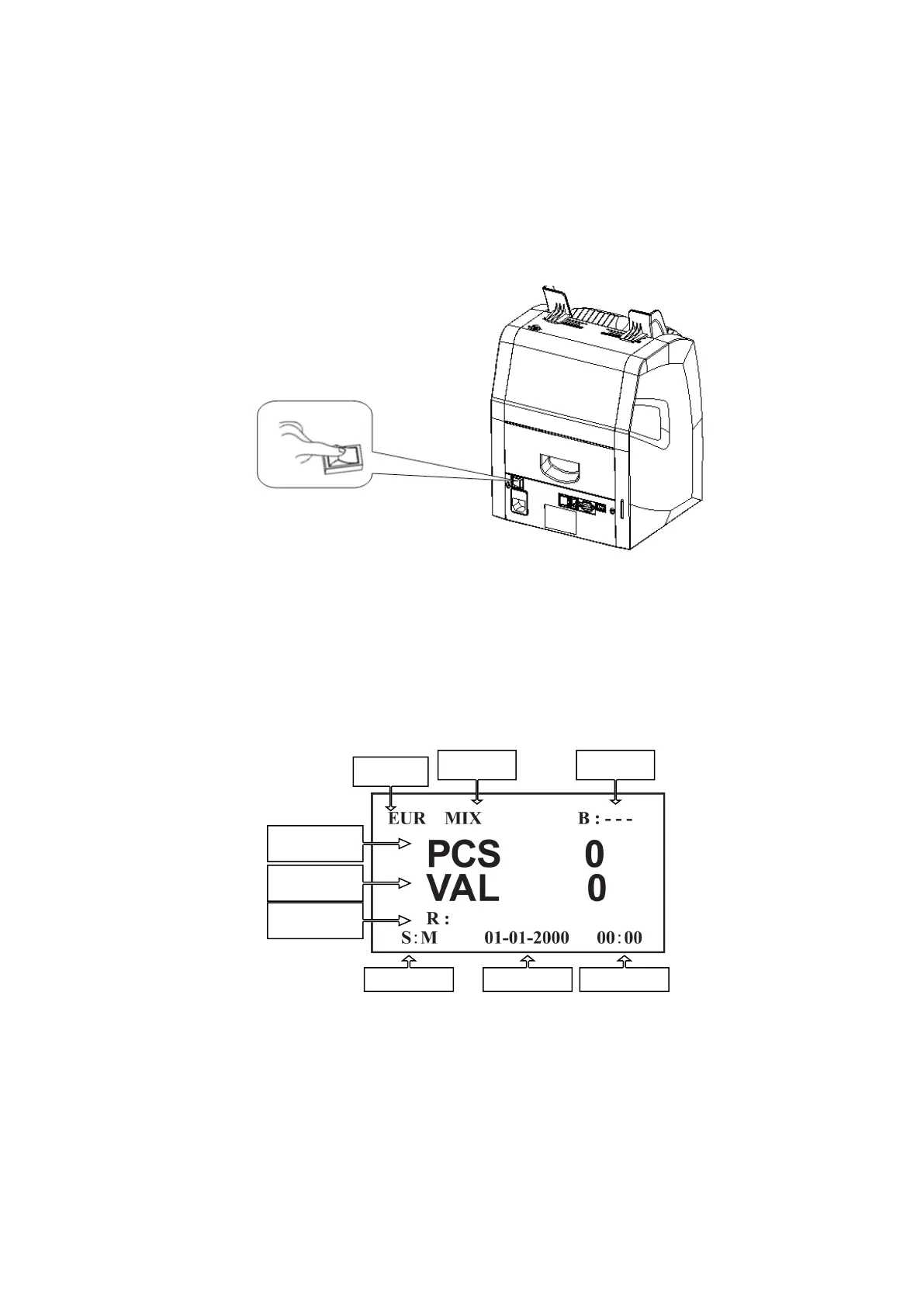
Turn on the power switch, the machine will display the software
version first, then perform a self-test.
If the test is successful, the machine will enter into ready state. If
some error messages are displayed on the LCD, please deal with
them according to the troubleshooting in this manual.
LCD-display
LCD-display is used to identify active modes and parameters, as
you can see in the picture below:
DoCash DC-45V
9
www.docash.de


 To Next Page