259
e12_dv67_7e.fm
[259/260]
Music
■ For WMA file
When the replay restriction has been exceeded, [Unable to play. To play
this track, sync your phone to your PC] appears. When there is a WMA file
that can be updated, connect the FOMA terminal to a PC to update
(nP. 252).
User playlist created by the FOMA terminal and Transfer playlist created
with a PC are available for playback on the FOMA terminal.
Up to ten user playlists can be created. Register up to 99 music data per
playlist.
Up to 100 Transfer playlists can be viewed. View 1,000 music data per
playlist. Playlists cannot be created/moved/edited on the FOMA terminal.
For details on transferring playlist nP. 252
1
Select music data/C/[Add to playlist].
: Alternatively, select music data and press i. Proceed to step 3.
2
Select the saving method.
; Select [Add one].
; Select [Add selected]/select music data/ t /C.
; Select [Add all]/[Yes].
3
Save.
: To create a new playlist and save: Press i/ enter a playlist
name/t (Enter up to 50 single/double-byte characters for a playlist
name).
: To add music data: Select a playlist/t.
: To overwrite music data: Select a playlist/m/[Yes].
■ Creating a new playlist <New playlist>
1
In the user playlist screen, press C/[Manage
playlists]/[New playlist].
: Alternatively, press i.
2
Enter a playlist name/t.
■ Adding music data to a playlist <Add song>
1
In the user playlist screen, select a playlist/t.
2
Press C/[Add song].
: Alternatively, press i.
3
Select music data/i.
Managing music data and playlist
Creating playlists
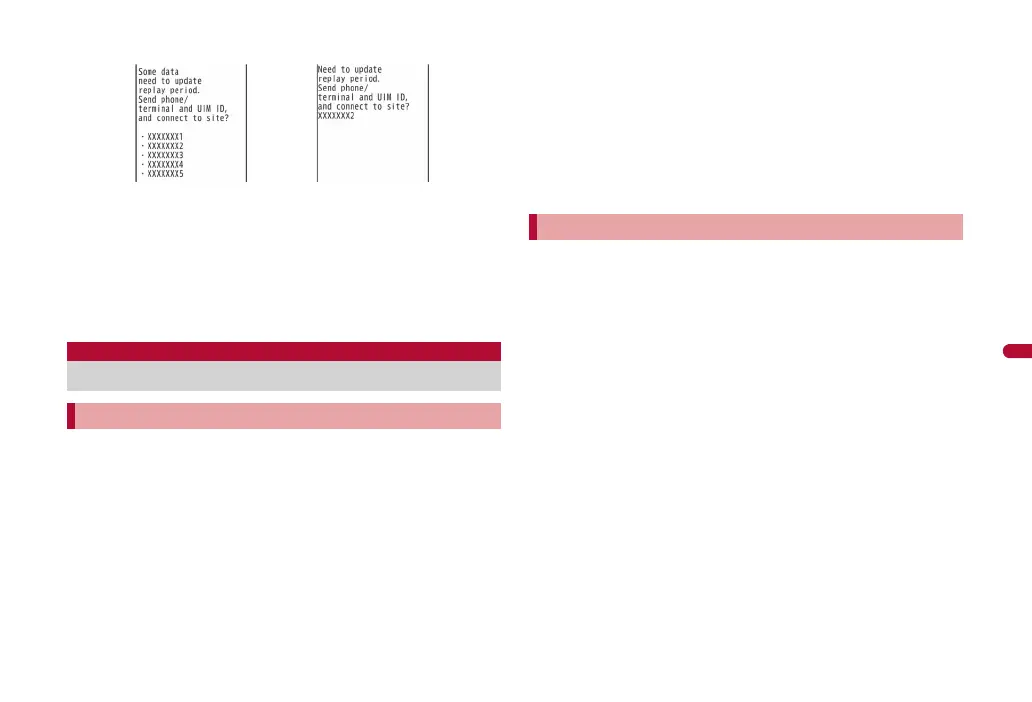
Confirmation screens for the update of
the expiration date
When selecting MUSIC
in Data box or MUSIC
Player in MUSIC menu
When selecting
Uta-hodai after the
expiration date
Managing playlists
dv67_E.book 259 ページ 2009年5月25日 月曜日 午前8時53分



 To Next Page