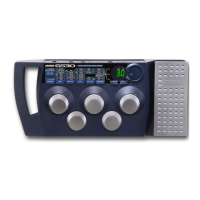
. Connect your instrument to the GS30 input jack.
a.(mono) Connect the left output to the input of your amplifier, or line input of a mixing console.
b. (stereo) Connect the left and right outputs to the inputs of two amplifiers, or two line inputs of a mixing
onsole.
. Set the tone controls of the amplifier(s) or mixing console to the flat or 0 position. If you are running stereo
into a mixer set the pan controls hard left and hard right. Turn your amplifier or mixer’s volume level down.
. Apply power to the GS30 by connecting the PS750 from the power jack to an AC outlet.
. Turn the power switch of your amplifier or mixer to the “on” position.
. Begin playing and gradually increase the amplifier or mixer’s volume until the desired level is achieved.
7


 To Next Page