Storing/Copying a Preset
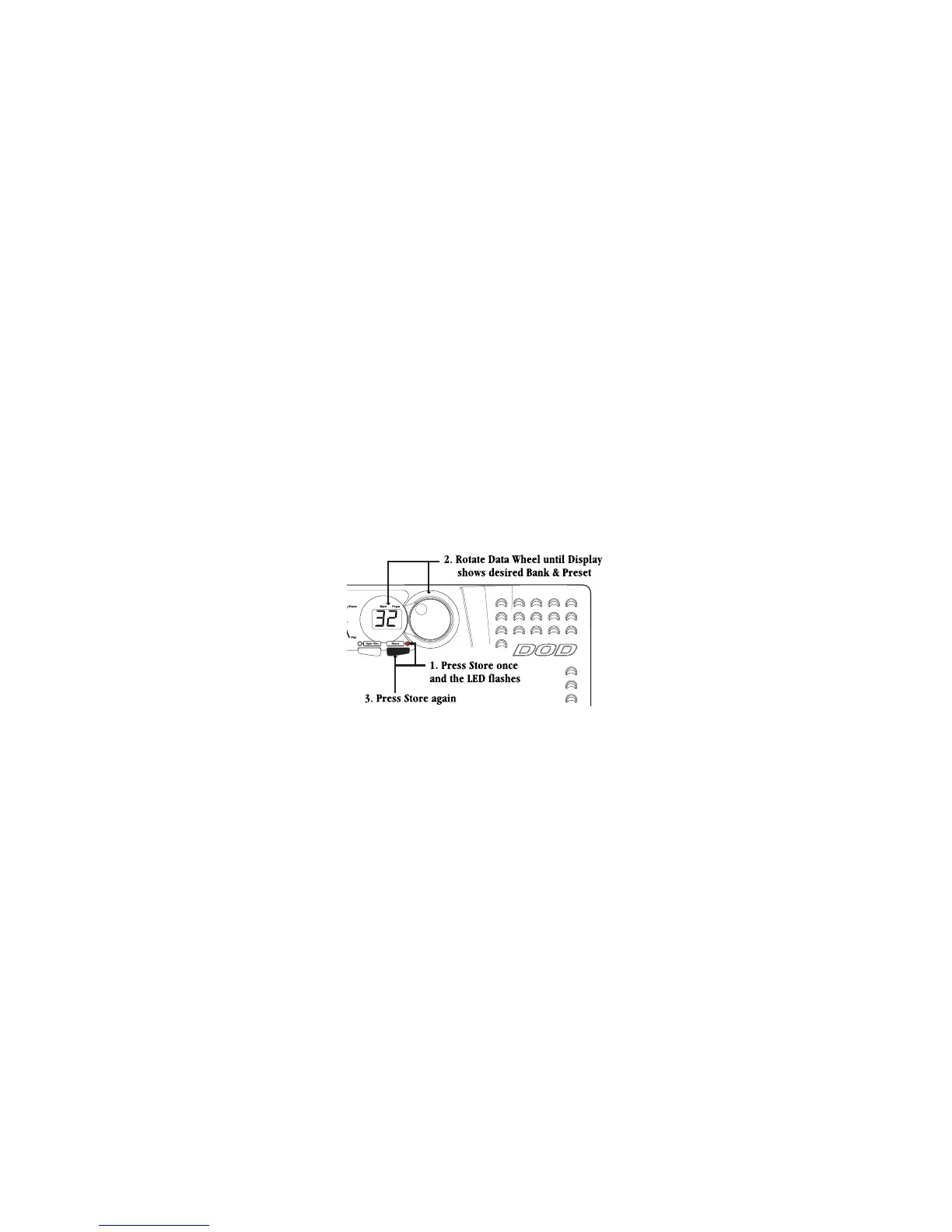
nce you have edited a Preset to your liking, you must store the changes in order for the GS30 to remember your
ettings. There are three steps to storing a Preset.
. Press the Store button once. The Store LED will flash and the User LED lights. The flashing LED is asking “where
do you want to store this sound”?
. Use the Data Wheel to select the User Bank and Preset location for this new sound to be saved.
. Once you have selected the desired Preset location, press the Store button again. The new sound will be saved
in the location you selected.
Note: This same procedure can be used to copy a Preset to a different Preset location.
o abort the store function, press any footswitch and do not press the Store button a second time.


 To Next Page