EasyManua.ls Logo

DOD LS370W+ - Camera Modes; Video Recording Mode

DOD LS370W+
43 pages
Print Icon
To Next Page IconTo Next Page
To Previous Page IconTo Previous Page
Loading...
Camera Modes
When the camera is not recording video, you can switch between three modes by pressing the [ ]:
1. Video Recording
2. Photo
3. Video Playback
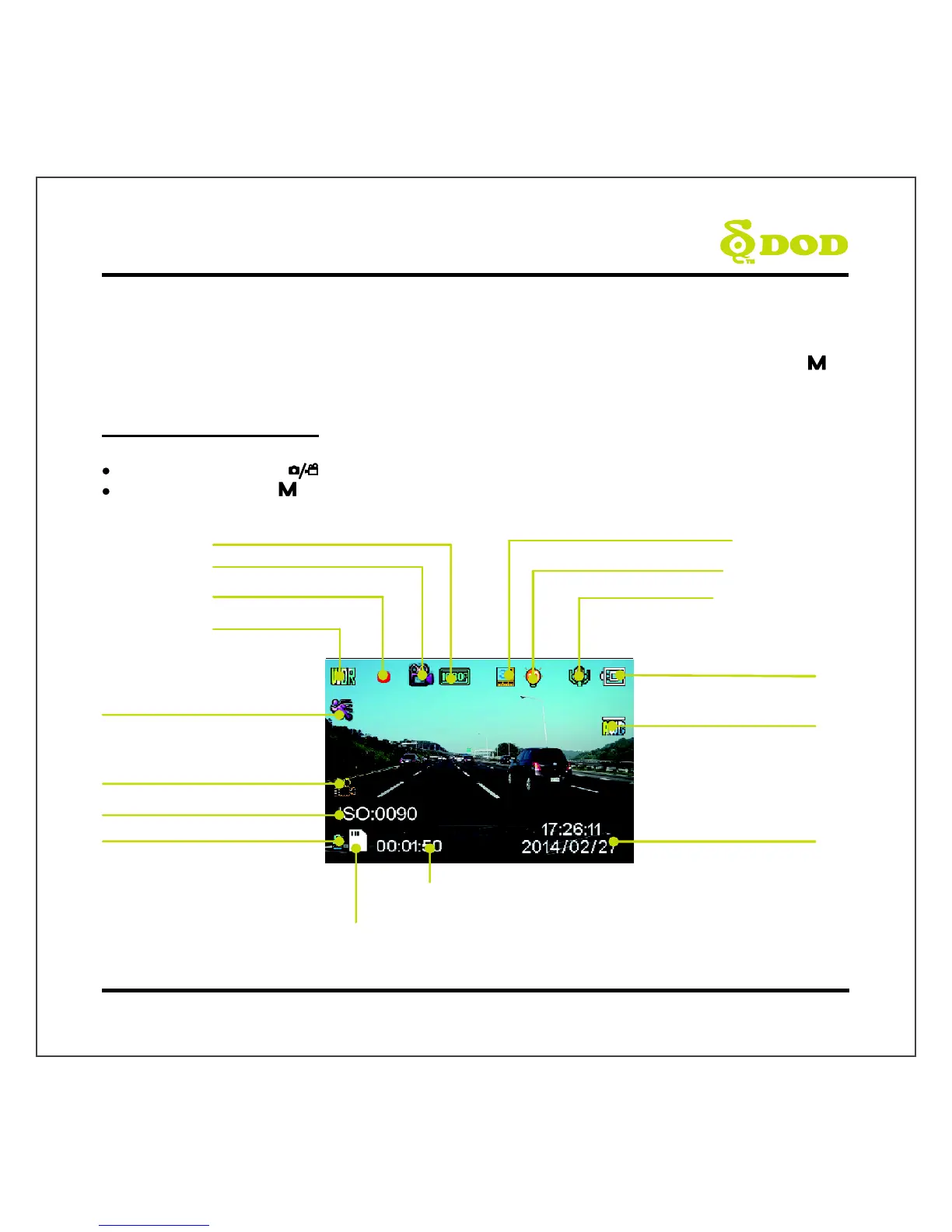
1. Video Recording Mode
The camera defaults to video recording when the camera is first turned on.
Recording Mode: Press[ ]to stop recording.
Standby Mode: Press[ ] to access two Modes: Photo Mode and Playback Mode.
Microphone (
on)
White Balance (Auto)
Date/Time
Exposure Value(Auto)
Loop Recording (3 Minutes)
WDR Enabled
Recording
Status
Video Recording Mode
Video Resolution
Motion Detection
(Enable in parking mode)
Memory Card Inserted
Power Status
Time Elapsed
SOS Emergency File Lock
ISO sensitivity
Parking mode
13