22
DOD Video Player
The DOD Video Player is a user-friendly program used to playback recorded videos and
to visualize your position and speed on your PC or Mac. Please see the “Transferring
Files” section to find out how to view or transfer your video files.
Installing the DOD Video Player
Insert and launch the installer from the included CD or download the software from
the support section on DOD Tech's website.
Launching the DOD Video Player
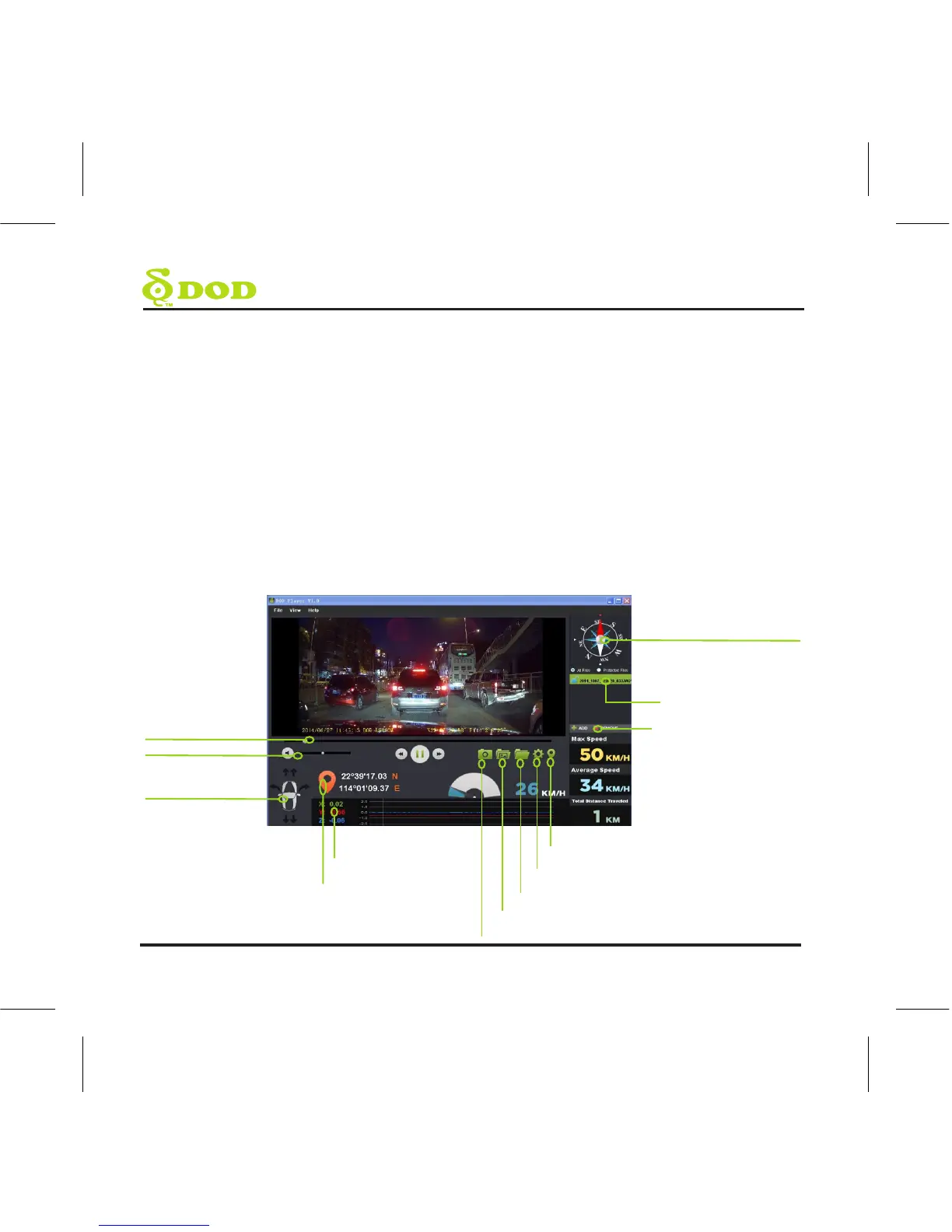
Once launched, the player will appear on your screen.
Open/Close Location map
Settings
Open Video Folder
View Screenshots
Take a Screenshot
Direction of Travel
List of Video to Play
Add or Remove Video
from Playlist
G-Force Strength
&Graph
Current Location
Video Position
Volume
G-Force Indicator



 To Next Page