INTEGRATED TRAILER BRAKE MODULE
• The Integrated Trailer Brake Controller allows you to automatically or manually
activate the Electric Trailer Brakes and Electric Over Hydraulic Trailer Brakes for a
better braking performance when towing a trailer.
NOTE:
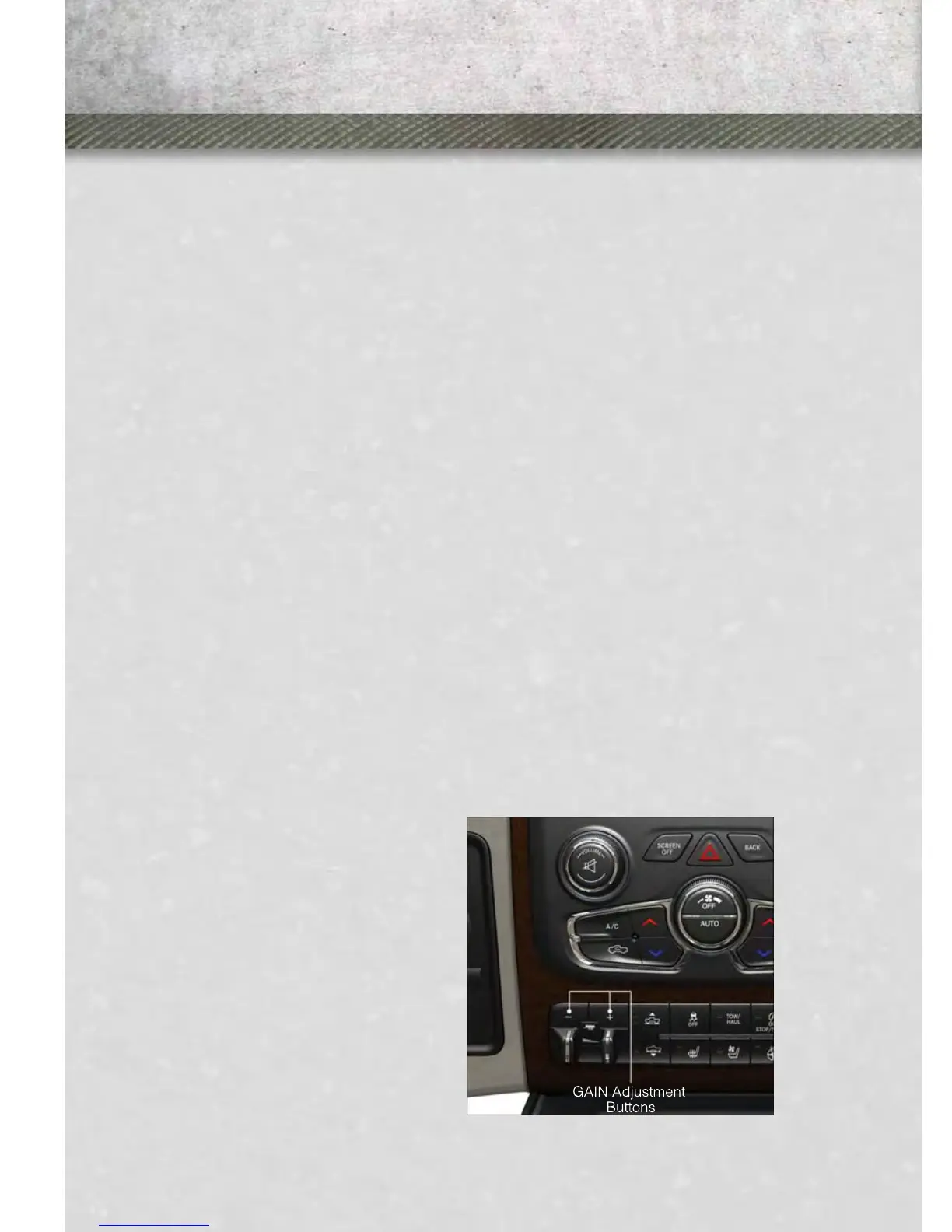
The Integrated Trailer Brake Controller is located in the center stack below the
climate controls.
• This module will have four different options depending on the type of trailer you
want to tow and can be selected through the Electronic Vehicle Information Center
(EVIC).
• Light Electric
• Heavy Electric
• Light EOH (Electric Over Hydraulic)
• Heavy EOH (Electric Over Hydraulic)
• To make the proper selection in the Electronic Vehicle Information Center (EVIC),
press the UP or DOWN steering wheel buttons until “VEHICLE SETTINGS”
displays. For additional information, refer to Electronics in this guide.
• Press the RIGHT arrow on the steering wheel to enter “VEHICLE SETTINGS.”
• Press the UP or DOWN buttons until Trailer Brake Type appears on the screen.
• Press the RIGHT arrow and then press the UP or DOWN buttons until the proper
Trailer Brake Type appears on the screen.
NOTE:
1500 Models Only – Light Electric and Heavy Electric will only be available due to
the tow capacities of the vehicle.
GAIN Adjustment Buttons (+/-)
•
Pressing the +/- buttons, located on the
left side of the module, will increase/
decrease the brake control power output
to the trailer brakes in 0.5 increments.
The GAIN setting can be increased to a
maximum of 10 or decreased to a mini-
mum of 0 (no trailer braking).
• Refer to your Owner's Manual on the
DVD for further details.
UTILITY
100










 To Next Page