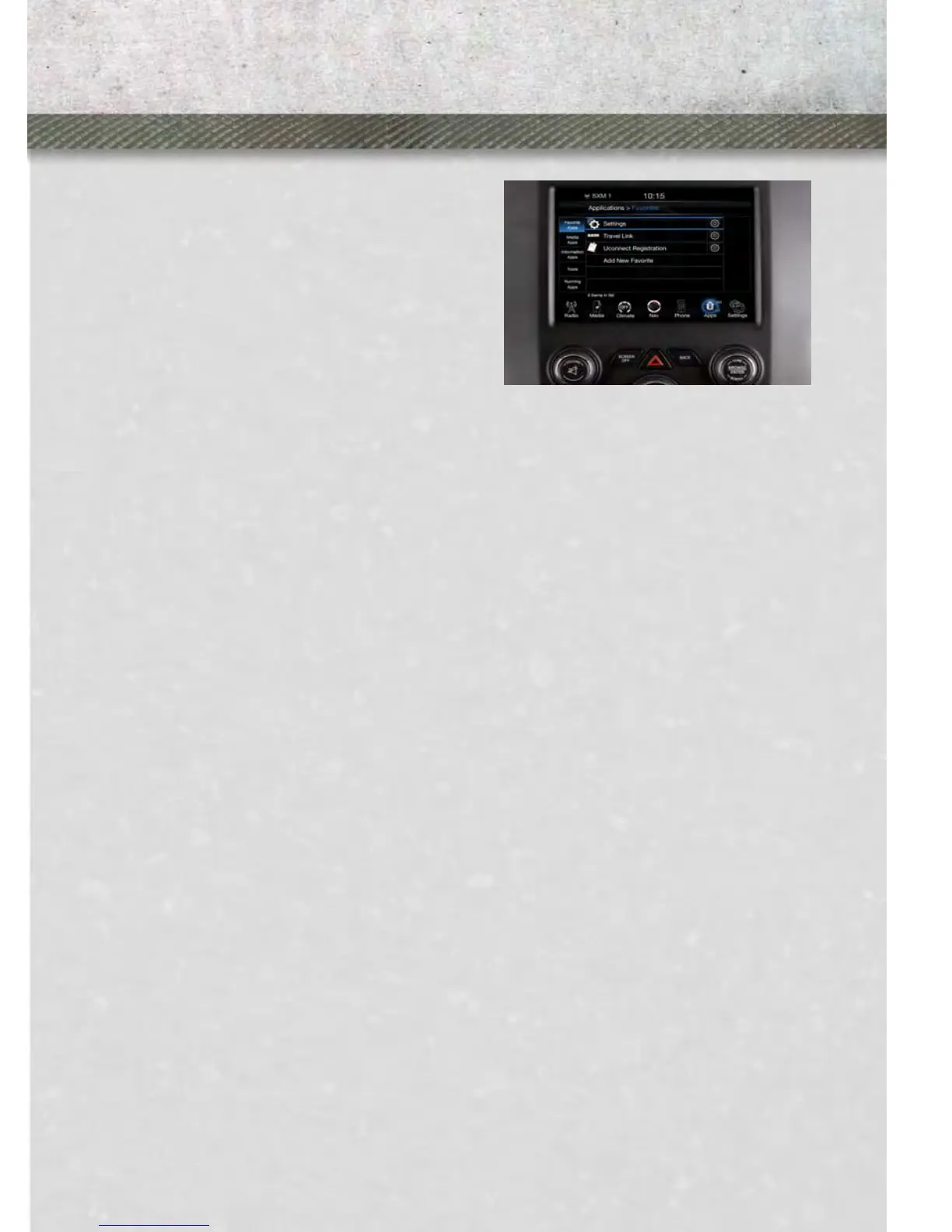
Uconnect™ 8.4AN
NOTE:
The 8.4A and 8.4AN appearance is the
same, but the listed features provide
the differences.
• 8.4” Touch-Screen
• Navigation Standard
• Hands-free/Bluetooth
®
• USB port, AUX port and SD Card slot
standard
• Touch-screen Climate Controls
• HD Radio
• SiriusXM™ Standard
• SiriusXM™ Traffic
• SiriusXM™ Travel Link
• Embedded Connectivity (US Market Only)
Uconnect™ ACCESS (Available on Uconnect™ 8.4A and
Uconnect™ 8.4AN)
•
With Uconnect™ Access, owners now have emergency and remote vehicle features
and apps available. In-vehicle features include, 9-1-1 Call, and Roadside Assistance
Call. Your vehicle is also capable of remote vehicle features such as Remote Start,
Remote Door Lock/Unlock, and Remote Horn and Lights , by being registered and
using a compatible smartphone.
• Your vehicle may come with a complimentary trial period for use of the Uconnect™
Access features. To activate the trial, you must first register with Uconnect™. See
the simple registration steps below. Once registered, Uconnect™ Access custom-
ers can purchase additional features and Apps as they become available. After the
trial period, you can subscribe for continued service . For additional information,
contact Uconnect™ Customer Care at 855-792-4241, or visit Owner Connect at
www.Ramtrucks.com/MoparOwnerConnect.com.
How to Register with Uconnect™ Access
1. With the vehicle parked and the radio powered on, select the “Apps” soft-key
located near the bottom of the radio touch screen.
2. Select the “Uconnect Registration” App soft-key from the Apps list.
3. The Uconnect™ Registration App opens, providing simple step-by-step instruc-
tions on entering your email address to begin the registration process.
ELECTRONICS
41










 To Next Page