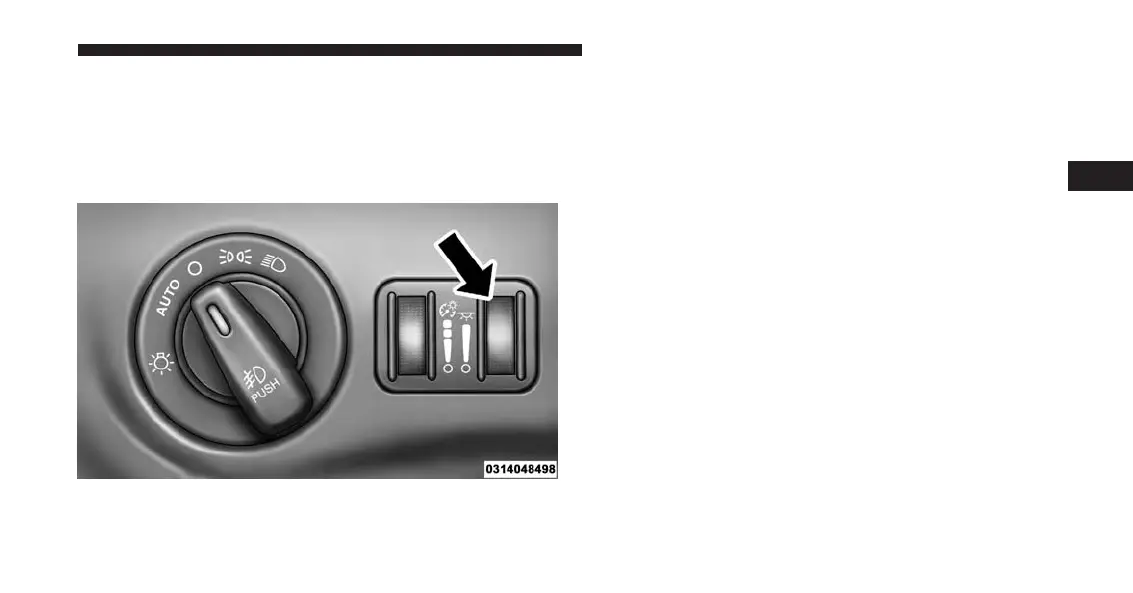
Ambient Light Control — If Equipped
Rotate the right dimmer control upward or downward to
increase or decrease the brightness of the instrument
bezel ambient lighting (if equipped), of the door handle
lights and of the door map pocket lights.
Dome Light Position
Rotate the left dimmer control completely upward to the
second detent to turn on the interior lights. The interior
lights will remain on when the dimmer control is in this
position.
Interior Light Defeat (OFF)
Rotate the left dimmer control to the extreme bottom
“OFF” position. The interior lights will remain off when
the doors are open.
Parade Mode (Daytime Brightness Feature)
Rotate the instrument panel dimmer control upward to
the first detent. This feature brightens all text displays
such as the odometer, Electronic Vehicle Information
Center (EVIC) or Driver Information Display (DID), and
radio when the position lights or headlights are on.
Door Handle/Ambient Light Dimmer
3
UNDERSTANDING THE FEATURES OF YOUR VEHICLE 249














 To Next Page