WARNING!
Be sure the hood is fully latched before
driving your vehicle. If the hood is not fully
latched, it could open when the vehicle is in
motion and block your vision. Failure to follow
this warning could result in serious injury or
death.
CAUTION!
• Do not leave the hood open in areas where
strong gust of wind are likely. Such a place
might be by the side of the road where
large trucks pass by. Strong gusts of wind
may damage the hood. Always close the
hood in such situations.
• To prevent possible damage, do not slam
the hood to close it. Simply lower the hood
until it is open approximately 18 inches
(46 cm) and then drop it. This should
secure both latches. If both latches did not
secure, a slight push effort in the same
area used for opening the hood (front of
wiper arm) needs to be applied to secure
the latches. Never drive the vehicle unless
the hood is fully closed with both latches
engaged.
LIGHTS
Headlight Switch
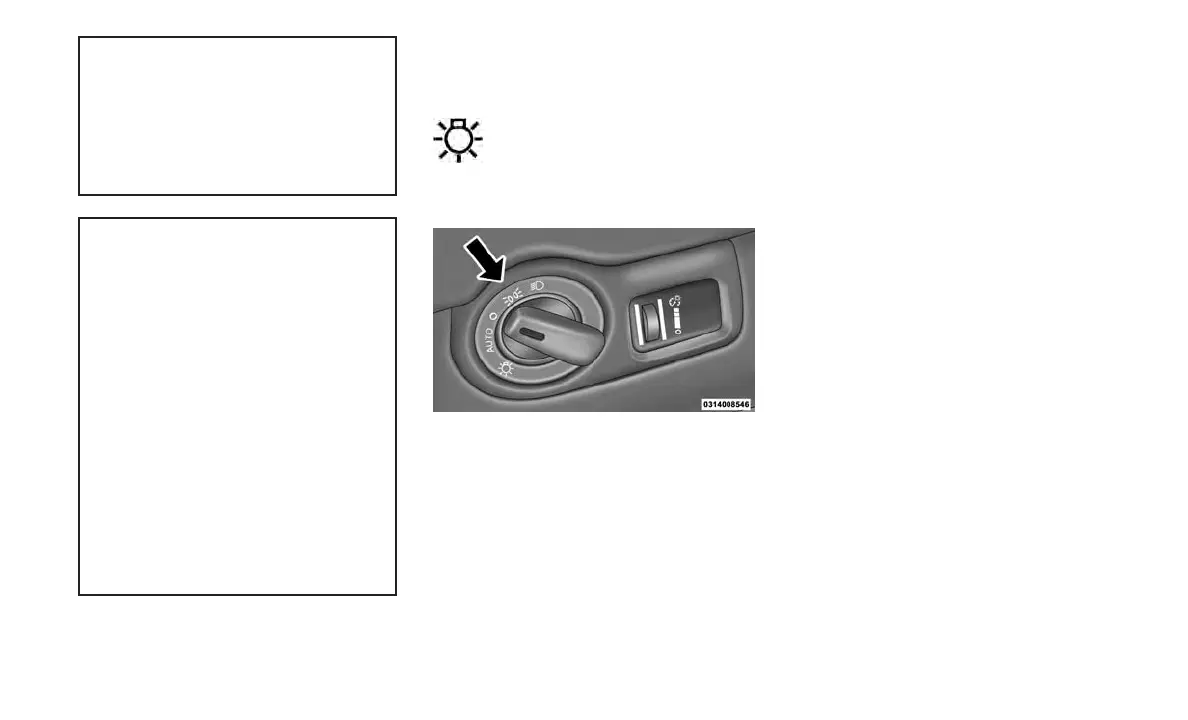
The headlight switch is located on the
left side of the instrument panel. This
switch controls the operation of the
headlights, parking lights, instrument
panel lights, instrument panel light dimming and
interior lights.
Rotate the headlight switch clockwise to the first
detent for parking light and instrument panel
light operation. Rotate the headlight switch to
the second detent for headlight, parking light
and instrument panel light operation.
Automatic Headlights
This system automatically turns the headlights
on or off according to ambient light levels. To
turn the system on, rotate the headlight switch
counterclockwise to the AUTO position. When
the system is on, the headlight time delay fea-
ture is also on. This means the headlights will
stay on for up to 90 seconds after placing the
ignition in the OFF position. To turn the Auto-
matic system off, move the headlight switch out
of the AUTO position.
NOTE:
The engine must be running before the head-
lights will come on in the automatic mode.
Headlights On With Wipers
When this feature is active, the headlights will
turn on after the wipers are turned on if the
headlight switch is placed in the AUTO position
and programmable feature is set to on. In addi-
tion, the headlights will turn off when the wipers
are turned off if they were turned on by this
feature.
NOTE:
The “Headlights On With Wipers” feature
can be turned on or off using the Uconnect
System. Refer to “Uconnect Settings/
Customer Programmable Features” in “Un-
derstanding Your Instrument Panel” for fur-
ther information.
Headlight Time Delay
This feature provides the safety of headlight
illumination for up to 90 seconds (program-
mable) when leaving your vehicle in an unlit
area.
To activate the delay feature, place the ignition
in the OFF position while the headlights are still
Headlight Switch
49









 To Next Page