DUAL DIAL CODE SETTING GUIDE
Before coding the transmitter, determine
how you would like to use the transmitter.
1. Use as 1-dog system or 2-dog system
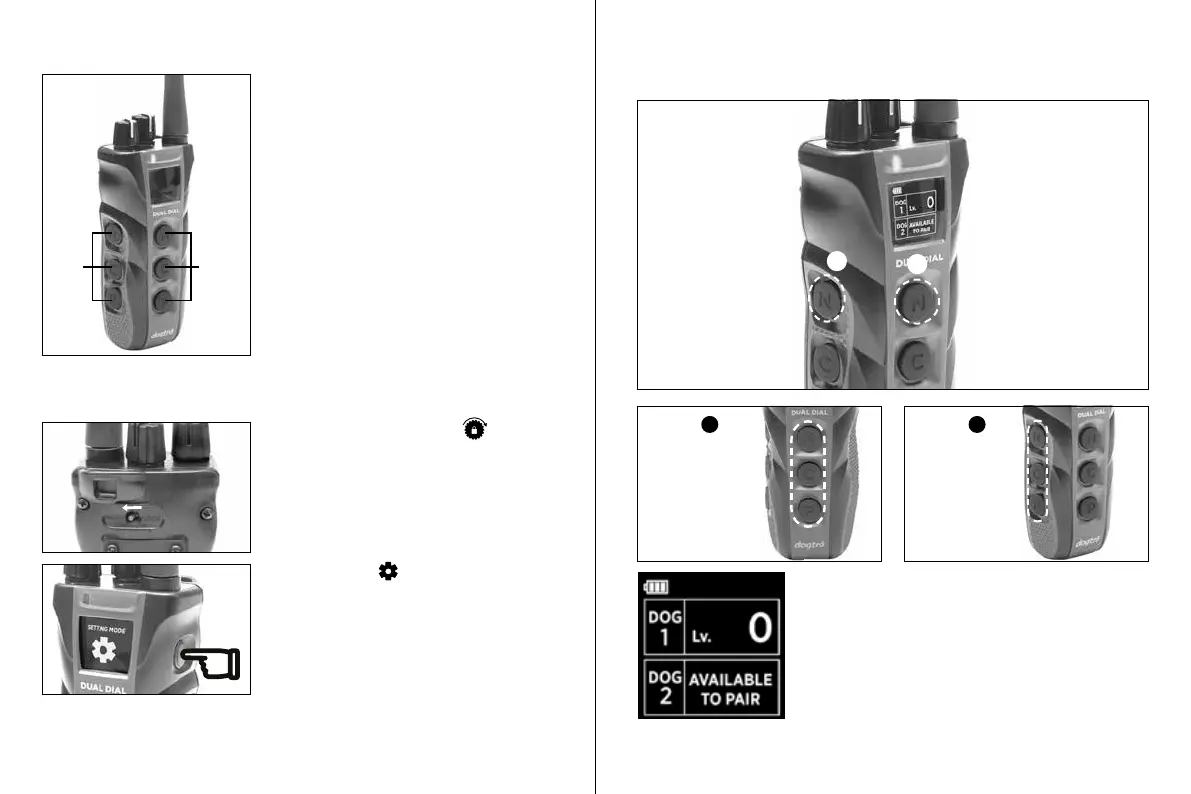
2. Which side, between Front or Left, you
want for ‘Dog 1’
Please note that if you want to add an
expandable second receiver, you must use
the ‘2-Dog Set Up’ instructions.
Front
side
Left
side
STIMULATION LEVEL LOCK
SETTING MODE
DUAL DIAL TRANSMITTER SETTING MODE
Make sure the transmitter is off. Hold the on/
off button on the transmitter until there is a
rapid green LED light on the transmitter and
the OLED screen shows "Setting Mode "
The transmitter is now in "Setting
Mode." Proceed to the dog set up you
desire.
Make sure the toggle switch is in the
"Unlocked" position.
1-DOG SET UP
Press the top button to set the transmitter as a 1-dog system.
The screen will show that ‘Dog ‘1 has been set up
and that ‘Dog 2’ position is “AVAILABLE TO PAIR” if
needed.
If you want to change the side, please start over by
putting the transmitter in "Setting Mode."
or
1
2
Select
1
Select
2
Front side
controls
receiver
Left side
controls
receiver










 To Next Page