20
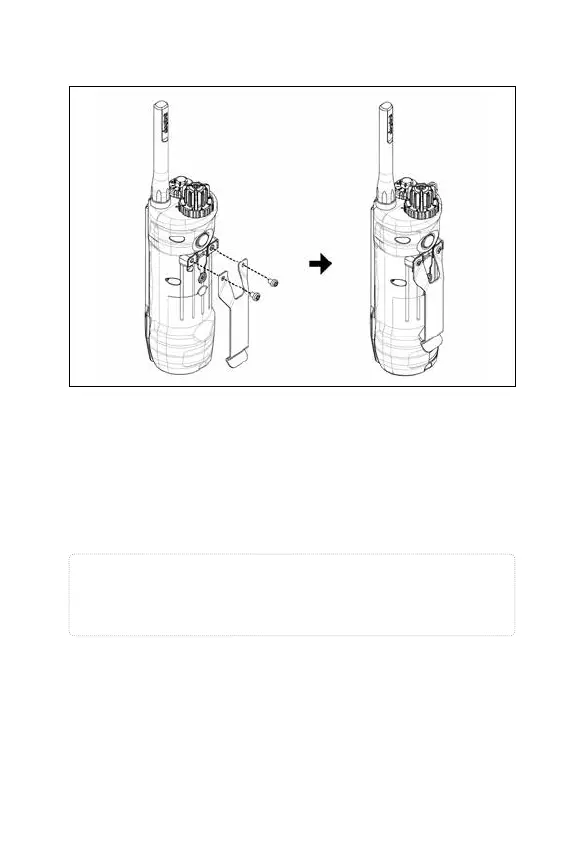
11. Attaching the Belt Clip
Follow the instructions below to attach the included belt
clip to the transmitter.
1. Align the belt clip to the grooves on the back of the
transmitter.
2. With a firm grip, screw on the belt clip's Phillips head
screws with a screwdriver.
Caution!
Tighten until firmly in place. Be careful not to over
tighten.


 To Next Page