21
12. Using the Test Light
1. Turn on the receiver by placing the red dot on the back
of the transmitter to the red dot on the receiver.
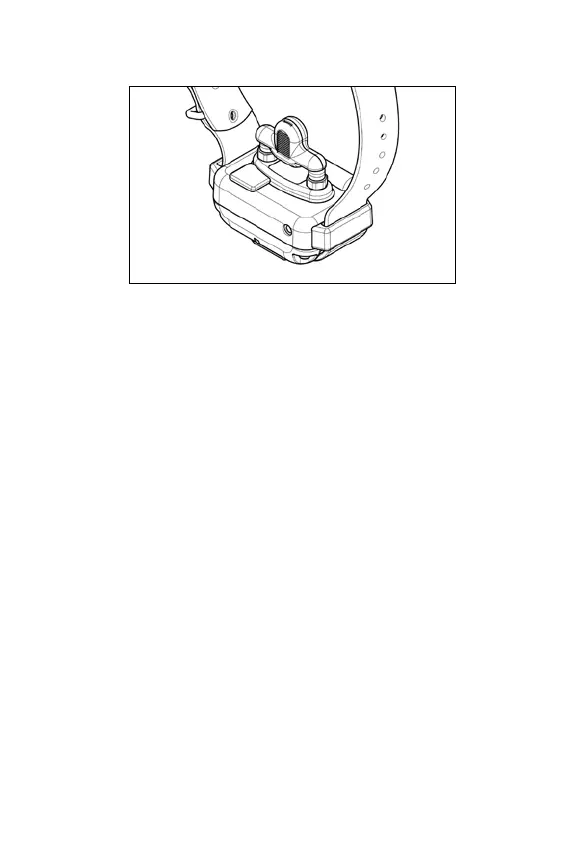
2. Place the test light, included in the package contents,
on the contact points as shown in the diagram.
3. Watch the test light as you press the Nick button on the
transmitter. It should light up for just a moment. The
higher the intensity level, the brighter the test light will
be.
4. Watch the test light as you press the Constant button
on the transmitter. It should light up as long as the
button is pressed. However, as a safety feature, the
receiver will automatically stop the stimulation if the
Constant button is pressed for 12 seconds or longer.
5. Turn the Selector Dial on the transmitter clockwise
and then counterclockwise. The test light should glow
brighter with higher levels of stimulation and dimmer
with lower levels.
NOTE: The test light may not be visible if the intensity
level is too low.


 To Next Page