38 39
2. HOW THE BUTTONS WORK
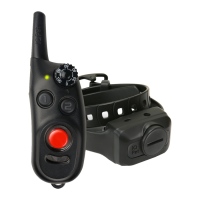
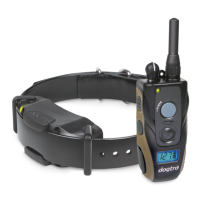
There are three buttons in front of the
handheld transmitter.
N – Nick button
Nick is a single rapid pulse of electrical
stimulation.
C – Constant button
Constant gives constant stimulation as
long as the button is pushed, for up to 12
seconds. The unit has an automatic shut
off should the button be depressed for
more than 12 seconds.
P – Pager button
Pager is a non-stimulating vibration.
2. HOW THE BUTTONS WORK
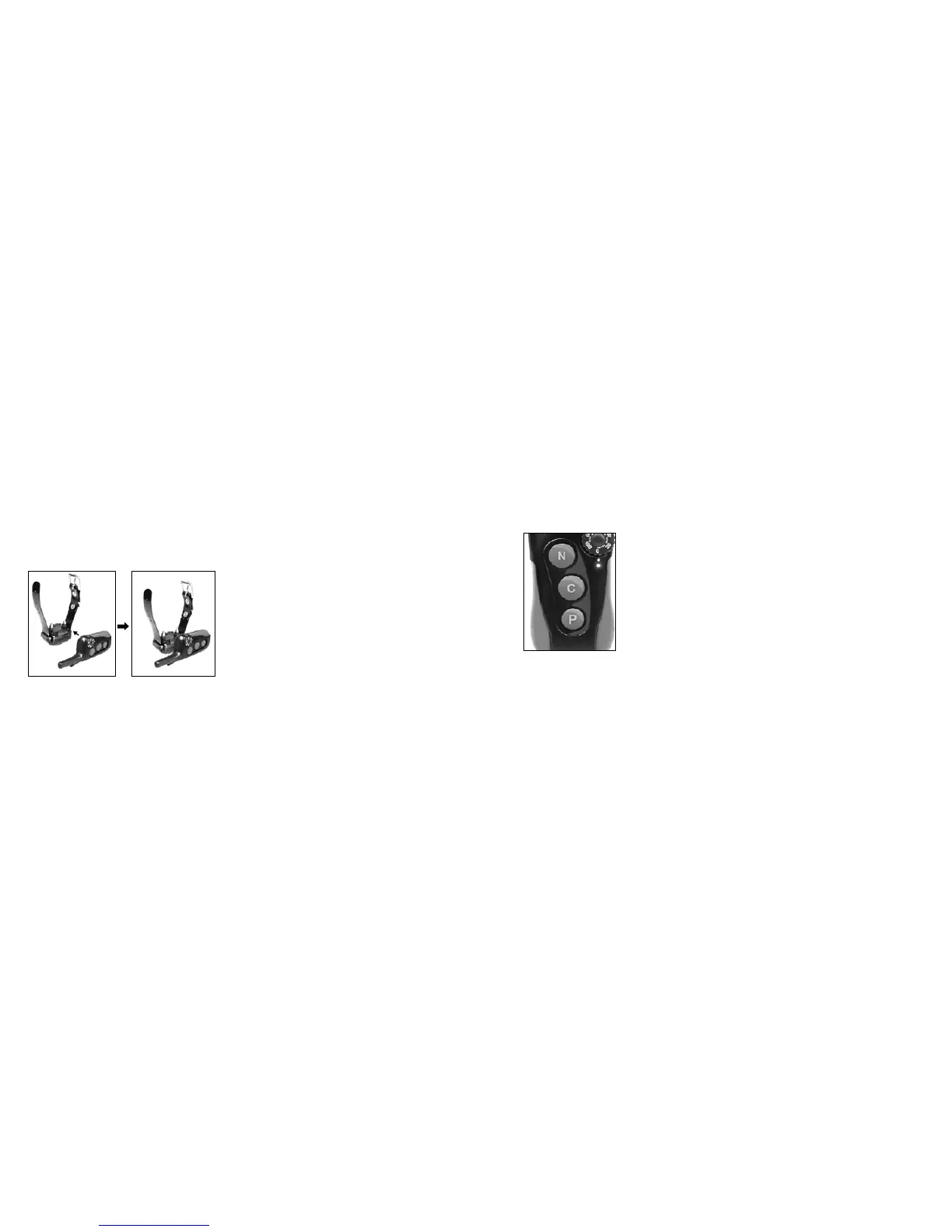
To activate the receiver/collar, place
the red dot on the back of the handheld
transmitter to the red dot on the receiver/
collar. Hold the two red dots together
for a moment until the LED light on the
receiver/collar comes on.
To deactivate the unit, repeat the same
procedure holding the two red dots
together momentarily. The LED light will
turn red for a brief moment indicating
that the receiver/collar is now shut off.
The handheld transmitter does not have
an on/off switch, and it will only activate
when buttons are pressed.
1. HOW TO TURN ON/OFF THE UNIT
1. HOW TO TURN ON/OFF THE UNIT
UNDERSTANDING YOUR
TRAINING SYSTEM



 To Next Page