16 17
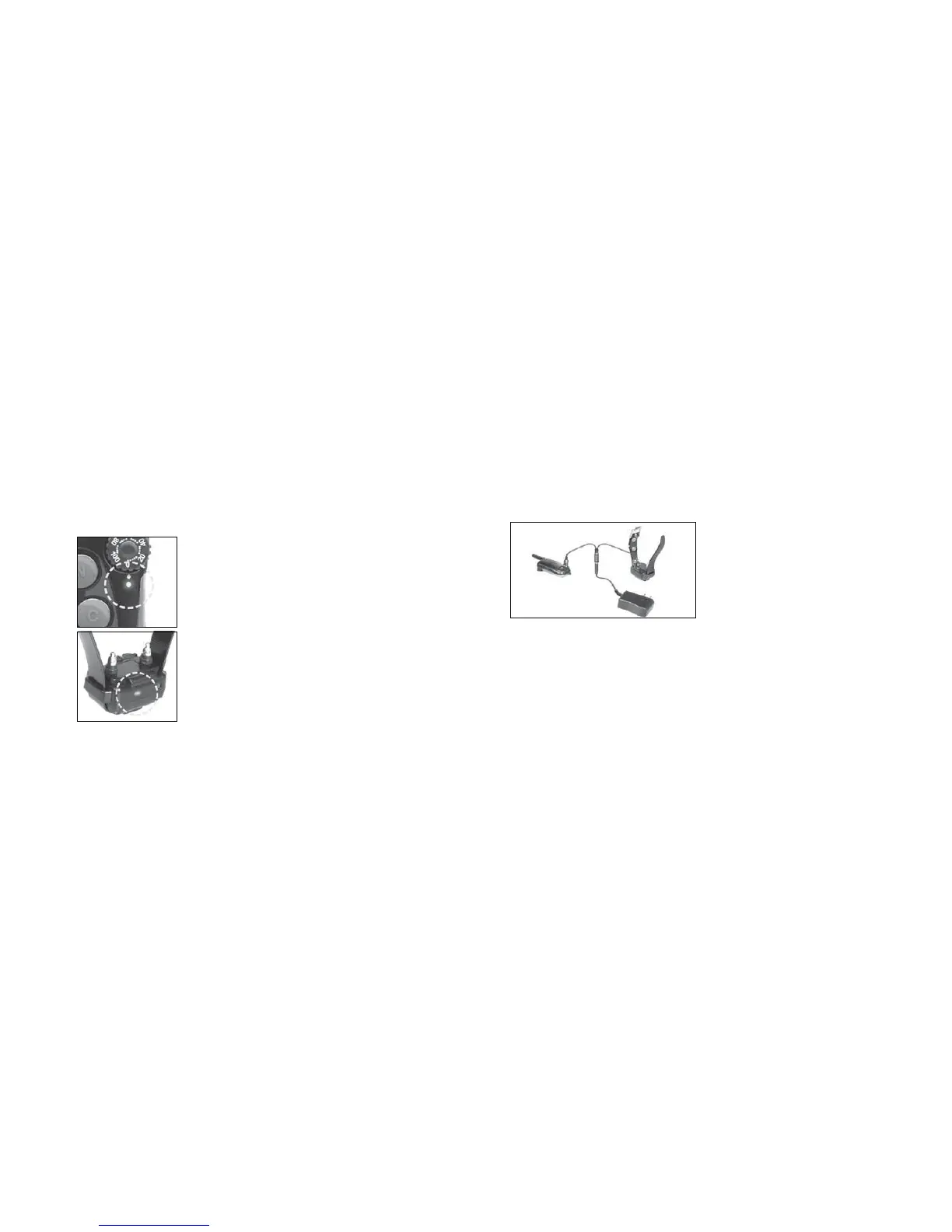
6. Checking the status using
LED indicator
When the receiver is on and ready to
RSHUDWHWKH /('ÀDVKHVHYHU\VHFRQGV
The LED will glow steadily on both
transmitter and receiver while any buttons
are pressed.
The LED color indicates battery life level.
Green = full charge, Amber = medium,
Red = needs charge
If you continue to operate the unit when
the LED is red (needs charge), it will shut
down.
6. Checking the status using LED indicator
7. Charging the battery
1. Remove the rubber plug temporarily and
plug in the charger.
2. Plug the adapter’s power plug into a
standard AC wall outlet. The LED will
glow red.
3. When charging is finished the LED
will glow green. Unplug the adapter’s
power plug from the AC wall outlet and
disconnect the charger from the unit.
4. Place the rubber plug back in the battery
charging receptacle.
* The receiver is still fully waterproof even
if the rubber plug is not closed, but place
the rubber plug in the battery charging
receptacle to make sure dirt does not get
inside.
7. Charging the battery



 To Next Page