Need help?
Do you have a question about the Dogtra PATHFINDER2 and is the answer not in the manual?
Essential safety instructions for using Dogtra products with dogs, covering training and handling.
Critical safety information for owners regarding product handling, electrical hazards, and medical device interference.
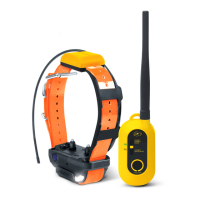
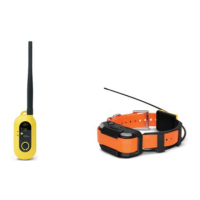
Lists and briefly describes the items included in the PATHFINDER2 package.
Highlights the primary features of the PATHFINDER2, such as GPS range, update rate, and waterproofing.
Diagram and labels for the GPS Connector (PT20U), identifying its main parts.
Diagram and labels for the GPS Receiver (PR20U), detailing its components and features.
Details the operation of buttons on both the GPS Connector and Receiver for power and functions.
Explains the color codes and blinking patterns of LEDs on the devices for battery life and status.
Instructions for locating and downloading the required Dogtra PATHFINDER2 mobile application.
Guidance on how to access the full, detailed online version of the user manual via QR code.
Step-by-step instructions for pairing the GPS connector to a smartphone and the receiver to the connector.
Details on how to use map features like zoom, scroll, tilt, and rotate within the app.
Explanation of various icons used in the app to represent a dog's current status and actions.
Overview of the tools available in the app, including recording, stopwatch, track, timer, distance, and navigation.
How to use the compass feature to view dog and marker direction and distance.
Detailed guide on using the E-Collar functions: Nick, Constant, Stimulation Level, Pager, Tone, and Locate Light.
Instructions for creating a dynamic fence based on your location, triggering notifications.
Guide to setting static geographical boundaries for receiving fence alerts.
Steps for creating a static fence that automatically triggers e-collar corrections for the dog.
Detailed process for setting up outer and inner fences for auto-correction E-Fence functionality.
Explanation of various menu options including Bluetooth, Device List, History, Map Settings, and Sleep Mode.
How to select and configure activity modes to customize status alarm notifications.
Guide to setting up specific alerts for dog status, fences, e-collar, battery, and device connection.
Proper methods and considerations for fitting the receiver collar onto a dog for optimal comfort and function.
Guidance on how to determine the appropriate stimulation level for a dog based on its reaction.
Tips and factors affecting the device's 9-mile range, including handling and environmental considerations.
Instructions for fully charging the GPS connector and receiver, including charging indicators and time.
Procedure for increasing or decreasing the length of the contact points for different dog coat types.
How to use the included test light to verify stimulation output from the receiver.
Essential tips for maintaining the device, including charging cap, inspection, antenna, storage, and app updates.
Addresses frequent problems such as no dog response, weak stimulation, range issues, charging, and skin irritation.
Details FCC rules, compliance statements, and radio frequency exposure guidelines for the devices.
Explains the terms and conditions of the one-year extended warranty provided by Dogtra.
Outlines the requirements for warranty claims and lists specific situations or damages not covered.
States that Dogtra's warranties are exclusive and disclaims all other implied warranties.
Defines Dogtra's liability limits and explains how legal rights may vary by state or jurisdiction.
Provides instructions for product registration and the process for requesting warranty service.

 To Next Page
 General