4 Dolby
®
DSS200 Hard Drive Replacement Guide DRAFT 0.9
Replacing a DSS200 Drive
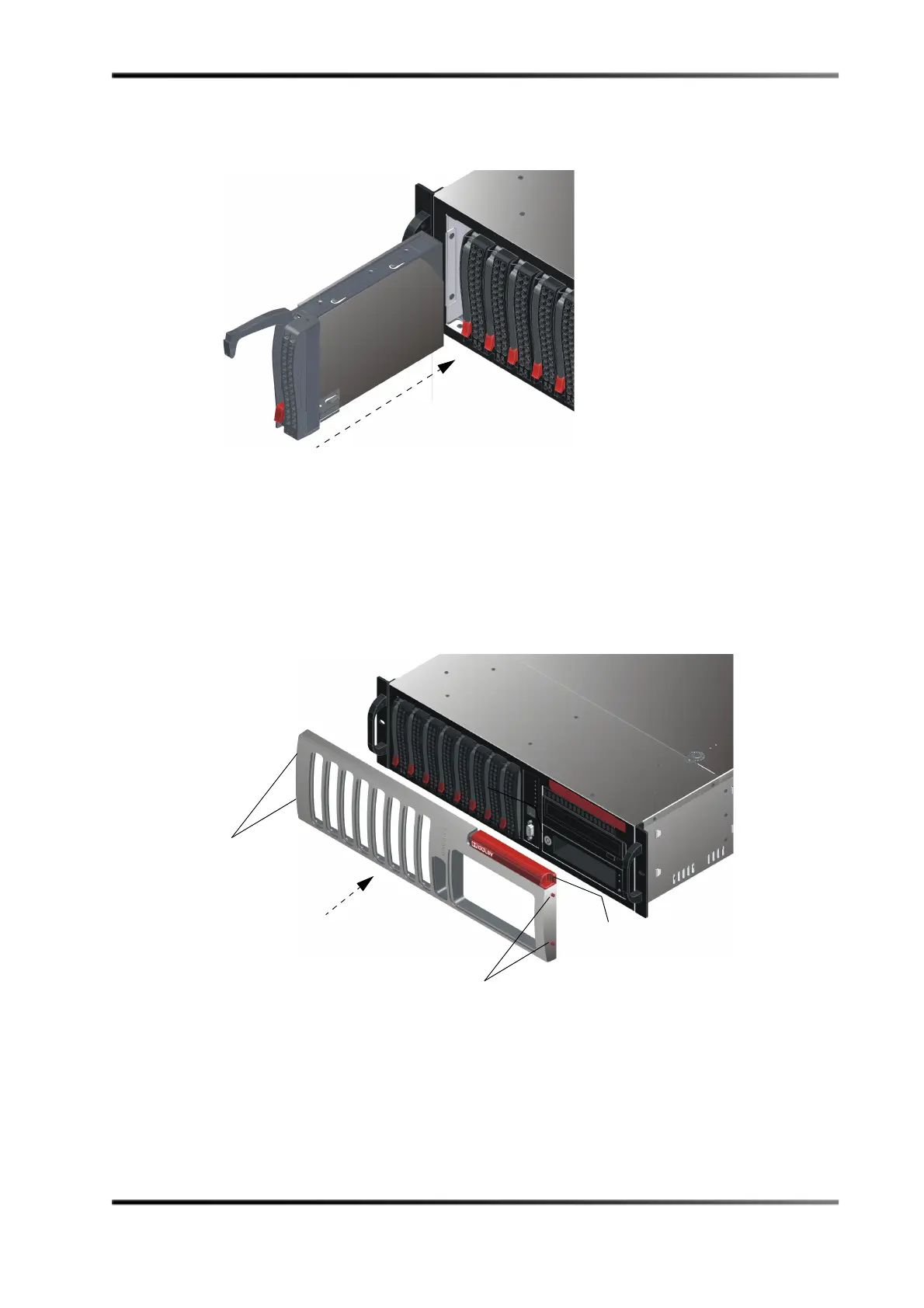
9. Slidethedrivetray intothechassis,pressingdownonitshandleuntilitsnapsinto
place.
Figure6
Figure 6 Slide Drive into DSS200 Chassis
10. Replacethefront‐panelcover:
•Lineupthetwopinsonthecover’sleftsidewiththeirrespectiveholesonthe
frontpanel,theninsertthepinsintheholes.
•Placeafingeronthecover’srightindent,pressinwardtodepressthetwopins,
lineupthepinswiththeirrespective
holes,thenreleaseyourfingertoinsertthe
pinsandsnapthecoverinplace(seeFigure 7).
Figure7
Figure 7 Replace Front-Panel Cover
Press here and
snap cover in place
Pins
Pins



 To Next Page