14
EN
Disposal Dometic Fan
9.1 Cleaning the Fan
I
Clean with window cleaner or a non-abrasive dish
soap and warm water. For additional protection
from insects and debris, a Pop N’ Lock screen can
be applied to the top side of the fan base. The Pop
N’ Lock and fan blade are top-rack dishwasher safe.
q
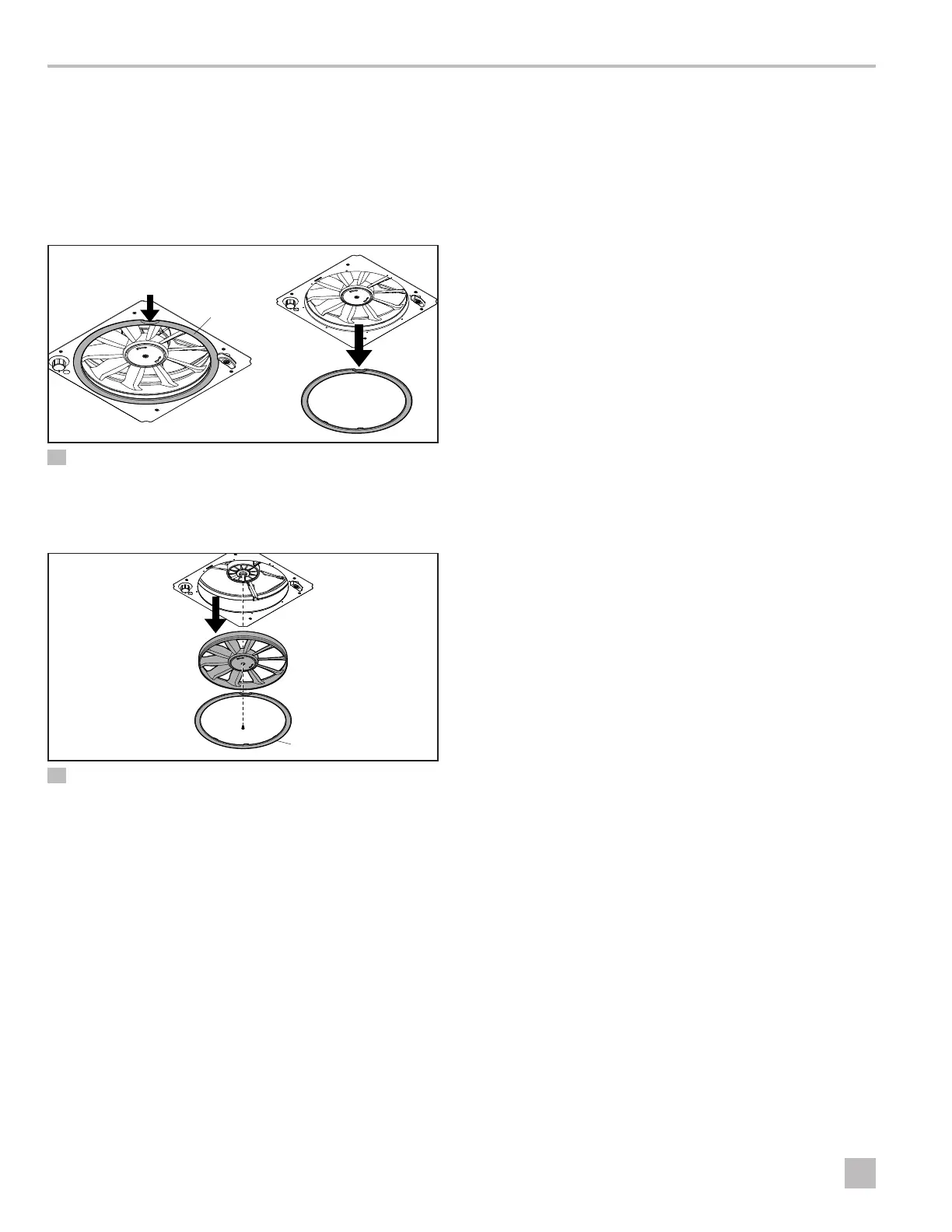
19 Removing the Pop N’ Lock
q
Pop N’ Lock
1. Clean the Pop N’ Lock and fan blade.
q
w
e
20 Disassembling the Fan
q
Fan Blade
e
Pop N’ Lock
w
Screw
2. Remove the screw holding the fan blade.
3. Reverse these steps to reassemble the fan.
10 Disposal
M
Place the packaging material in the appropriate
recycling waste bins, whenever possible. Consult
a local recycling center or specialist dealer for
details about how to dispose of the product in
accordance with all applicable national and local
regulations.
LIMITED TWO-YEAR
WARRANTY
LIMITED TWO-YEAR WARRANTY AVAILABLE AT
DOMETIC.COM/EN-US/TERMS-AND-CONDITIONS-
CONSUMER/WARRANTY.
IF YOU HAVE QUESTIONS, OR TO OBTAIN A COPY
OF THE LIMITED WARRANTY FREE OF CHARGE,
CONTACT:
DOMETIC CORPORATION
CUSTOMER SUPPORT CENTER
5155 VERDANT DRIVE
ELKHART, INDIANA 46516
1-800-544-4881




 To Next Page