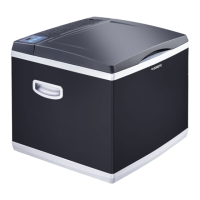
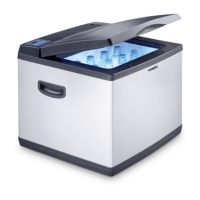
CK40D Hybrid Operation
9
In thermoelectric mode you don’t have to set the temperature. The display is
deactivated.
In compressor mode, you can use the buttons to set the temperature within a
range from +10 °C to –15 °C. The display shows the temperature.
The lid is sealed continuously and has a magnetic lock.
The cooler has the following operating elements:
6Operation
I
6.1 Energy saving tips
• Choose a well ventilated location which is protected from direct sunlight.
• Allow warm food to cool down first before placing it in the cooling device to
keep cool.
• Do not open the cooling device more often than necessary.
• Do not leave the cooling device open for longer than necessary.
Item in fig. 2,
page 3
Description Explanation
1 Display Displays the current or the desired temperature,
respectively.
2 ON/OFF Switches the cooler on or off.
3 TEMP – Decreases the desired cooling temperature by
1°C.
4 TEMP + Increases the desired cooling temperature by
1°C.
NOTE
• Before starting your new coolbox for the first time, you should clean
it inside and outside with a damp cloth for hygienic reasons (please
also refer to the chapter “Cleaning and care” on page 12).
• A few water drops may form inside the cooler if it has been cooling
for a lengthy period. This is normal because the moisture in the air
condenses to water when the temperature in the cooler falls. The
cooler is not defective. Wipe it out with a dry cloth if necessary.
CK40D-Hybrid-O-16s.book Seite 9 Freitag, 8. November 2019 8:25 08


 To Next Page
 Loading...