
 Need help?
Do you have a question about the Dometic CFX3 Series and is the answer not in the manual?
Hazards related to electrical shock and damaged power cables.
Hazards related to cord placement and power supplies.
Safe use by children and user maintenance guidelines.
Precautions against storing explosive substances.
Cautions for dry power lines and plugs before operation.
Guidelines for food storage and device cleanliness.
Precautions against voltage mismatches and improper connections.
Details of the control panel buttons and their functions.
How to navigate menus using the control panel buttons.
How to lock or unlock the device display for safety.
Initial cleaning and preparation steps before operating the cooler.
Recommendations to optimize energy consumption and efficiency.
Instructions on how to change the direction of the cooler lid opening.
Steps for connecting the cooler to power sources.
General instructions and notices for operating the cooler.
Explanation of display states and overview.
How to lock or unlock the device display for safety.
How to choose between Celsius and Fahrenheit display.
Instructions for adjusting the desired cooling temperature.
Explanation of the three-stage battery protection modes.
How to adjust the brightness level of the device display.
How to activate individual cooling zones on specific models.
How to use the ice maker function for making ice cubes.
Instructions for downloading and installing the companion app.
How to establish a Bluetooth connection to the app.
How to establish a WiFi connection to the app.
How to personalize WiFi and Bluetooth names and passwords.
Procedure to reset the app password to factory default.
How to restore the device to its original factory settings.
Information about using the USB port for charging devices.
Steps for removing frost buildup inside the cooling device.
Instructions for safely replacing the AC fuse.
Instructions for safely replacing the DC fuse.
How to replace the fuse located in the DC plug.
Information on replacing the light circuit board.
Common issues and solutions for DC power operation failure.
Common issues and solutions for AC power operation failure.
Troubleshooting steps for unresponsive display controls.
Solutions for connectivity issues between the app and the device.
Explanation of alert messages and their causes/solutions.
Interpretation of warning codes and suggested remedies.
 General
| Power Source | 12/24V DC, 100-240V AC |
|---|---|
| Refrigerant | R134a |
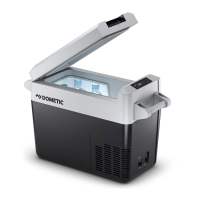
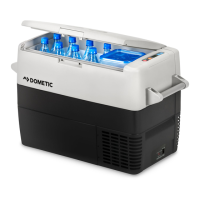
| Product Description | Portable Refrigerator/Freezer |
| Temperature Range | -22°C to +10°C |
| Insulation | High-performance polyurethane foam |
| Digital Display | Yes |
| Connectivity | WiFi and Bluetooth |
| App Compatibility | Dometic CFX3 App |
| Color | Gray |
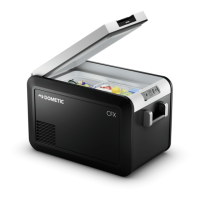
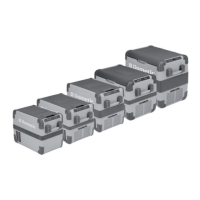
| Capacity | Varies by model (e.g., 35, 45, 55, 75, 95 liters) |
| Weight | Varies by model (refer to product specifications for specific weight) |
| Dimensions (W x H x D) | Varies by model (refer to product specifications for specific dimensions) |
| Certification | CE, RoHS |
| Warranty | 3 years |
| Material | ExoFrame construction with fender frame protected edges |





 To Next Page

