10
EN
Installation CCF-T Refrigerator
7.2 Installing the Foam Spacers
w
q
8 Placing the Foam Spacers
q
Foam Spacer
w
Console Bin Ledge
1. Peel off the tape covering from the right-hand foam
spacer.
2. Affix the right-hand foam spacer to the inside of the
right-hand console bin wall:
a. Hold the foam spacer inside the console bin with
the 45 degree angled corner to the rear of the
console bin.
b. Rest the foam spacer on the console bin ledge.
c. Press the 45 degree angled corner of the foam
spacer into the rear corner.
d. Press the entire foam spacer into place.
3. Repeat steps 1 and 2 to apply the le-hand foam
spacer to the le-hand console bin wall.
7.3 Installing the Refrigerator Unit
q
ww
9 Engaging the Receptacle Locks
q
12 VDC Power Plug
w
Power Supply
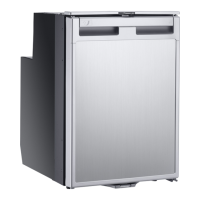
1. Set the refrigerator unit upright near the console bin
and insert the 12 VDC plug into the power supply.
q
w
rr
ee
10 Lowering the Refrigerator Unit into the Console Bin
q
Refrigerator Unit
e
Console Bin Frame Lip
w
Le Foam Spacer
r
Power Retaining Latch
2. Note the power retaining latch located at the bottom-
le corner of the refrigerator unit.
3. Gently rock the refrigerator unit from le to right while
lowering the refrigerator unit into the console bin.



 To Next Page