BordBar TB08 Operation
9
6Operation
A
I
No. in
fig. 1, page 8
Description
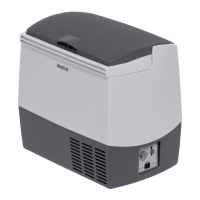
1 Ventilation grilles
2 DC socket connection
3LED COLD
lights up green when the device is cooling
4 Slide switch for the operating mode
COLD: The device is cooling
OFF: The device is switched off
HOT: The device is warming
5LED HOT
lights up red when the device is warming
NOTICE!
• Ensure that only those objects are placed in the cooler that are
intended to be cooled at the selected temperature.
• Ensure that food or liquids in glass containers are not excessively
refrigerated. Liquids expand when they freeze and can therefore
destroy glass containers.
NOTE
Before starting your new cooler for the first time, you should clean it
inside and outside with a damp cloth for hygienic reasons (see also
chapter “Cleaning and maintenance” on page 12).
TB08-O-AU.book Seite 9 Freitag, 7. Oktober 2016 12:55 12







 To Next Page