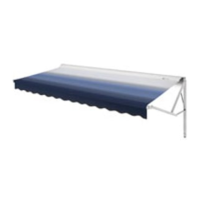
The Dometic WeatherPro Power Awning Control System is a sophisticated device designed to manage the operation of WeatherPro Power Awnings and Oasis Door Awnings. This system allows for convenient extension and retraction of the awning, incorporating safety features and intelligent controls to enhance user experience and protect the awning from damage.
Function Description:
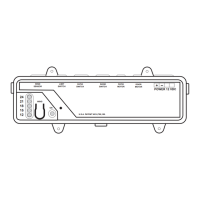
The primary function of the WeatherPro Power Awning Control System is to provide automated control over the extension and retraction of compatible awnings. It operates on a 12 VDC power supply and can be controlled via a control box, a remote switch, or a remote control. The system is designed to prevent accidental extension when the vehicle ignition is in the "ON" position, ensuring safety during travel. A key feature is the integrated wind sensor, which automatically retracts the awning when wind conditions exceed a preset threshold (factory preset at 18 MPH), thereby preventing potential damage to the awning. The control box also includes an audible alarm to alert users to specific issues, such as low temperatures or problems with the wind sensor.
Important Technical Specifications:
- Power Supply: 12 VDC.
- Fuse Protection: The control box system is protected with a 15 Amp fuse (though not in all models). A spare 15 Amp fuse is typically taped inside the control box cover for easy replacement.
- Wind Sensor Threshold: Factory preset at 18 MPH. This threshold can be enabled or disabled via a switch on the control box.
- Low Temperature Operation: The awning is not intended for cold weather operation. It will automatically close at approximately 30°F when the wind sensor is enabled.
- Power Interruption Recovery: After a power interruption, the system requires approximately 30 seconds before the control buttons can be pressed again for the control box to automatically restore power.
- Awning Water Shedding: The awning is designed to shed water in light rain. The left arm will automatically decrease the awning height by approximately 9 inches to facilitate water runoff.
Usage Features:
- Multiple Control Options: Users can extend or retract the awning using the "EXTEND" and "RETRACT" buttons on the remote control, remote switch, or the control box itself.
- Partial Extension/Retraction: The awning will stop and remain in position if the control button is released before it is fully extended or retracted. It will continue to move when the button is pressed again.
- Obstacle Detection: If the awning encounters an object during opening, the control box will cut power to the motor, preventing damage.
- Wind Sensor (Enable/Disable): The wind sensor feature can be activated or deactivated using a switch on the control box. When enabled, the awning will automatically retract in high winds. Disabling this feature may void the awning warranty if damage occurs due to wind.
- Ignition Safety Feature: When properly installed, the system prevents the awning from extending if the vehicle's ignition key is in the "ON" position. Retraction, however, is still possible.
- Audible Alarm: The control box emits an audible alarm under specific conditions, such as outdoor ambient temperatures below 30°F (when the sensor is enabled) or if there's a problem with the wind sensor or its cable. The solution typically involves turning the sensor switch to "DISABLE" until conditions improve, then re-enabling it.
- Manual Closure (Emergency): In the event of a coach power failure, the awning can be manually closed using an auxiliary power cable connected to an external 12 VDC battery source. This procedure requires two people and necessitates servicing by a Dometic Service Center or qualified technician before subsequent use.
Maintenance Features:
- Fuse Replacement: The control box is fuse-protected, and a spare fuse is often provided for user replacement. Users are instructed to shut off 12 VDC power and remove the control box cover to access and replace the fuse.
- Wind Sensor Cleaning: The wind sensor's airway must be kept clear of dust, insects, ice, snow, or other debris for correct function. The sensing element can be cleaned with a mild soap solution and a small soft bristle brush.
- Awning Fabric Care: To prevent mildew and prolong the life of the awning fabric, it is recommended to roll out a wet awning and allow it to dry before rolling it up again. Periodic cleaning of vinyl or woven acrylic fabric with a mixture of dish soap and bleach in warm water is advised.
- Post-Manual Closure Service: After a manual closure procedure, the awning must be serviced by a Dometic Service Center or a qualified service technician before attempting to open it again, and the screw securing the FRTA must be re-installed to prevent accidental opening during travel.

 Need help?
 General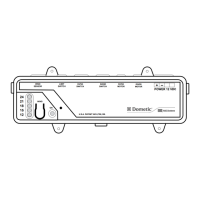

 To Next Page