❸
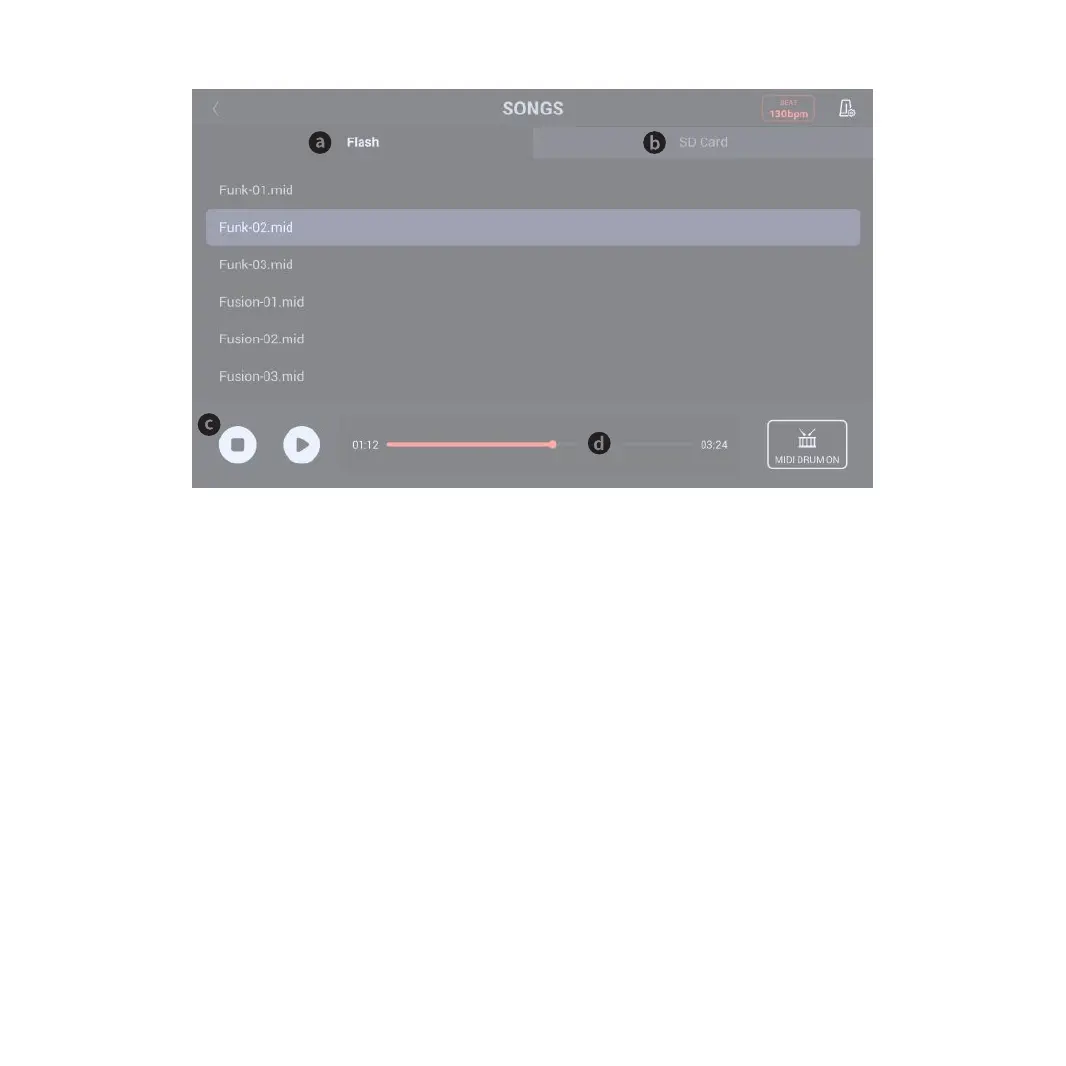
SONG Practice Interface
18
3-a. FLASH Operation
Click it to enter the SD CARD function; it is equipped with Demo Songs of diverse styles.
Click and select any song for follow-up practices.
3-c. Reset and Play/Pause
Click the Reset button to replay the song from the beginning;
Click the Play/Pause button to play or pause any song.
3-d. Song Playing Progress Bar
The progress bar displays the playing progress of current song.
3-b. SD CARD Operation
The SD card supports the files of wav and mid. The songs need to be stored in the folder “Song” in the SD Card root directory (When the SD Card is plugged into
the SD Card port of the Module, it will automatically create two folds, Song and RECORD)
(The SD Card is not included in the product package; the format of your SD Card should support FAT32)
After normal reading, the SD Card will show the number of songs; you may click and select a song for follow-up practices.



 To Next Page