Using Auto Accompaniment function
A/ B section inserted
When using Auto Accompaniment, the performance of the song can be enriched by different performance modes of Section A and
Section B. When the rhythm stops state,short press [A/ SY START] or press [B / SY STOP] key to select main paragraph A or B, and
the indicator light is on. Then press the [START / STOP] key to enter the auto chord accompaniment of the A or B segment selected by
the user. When the rhythm is playing, press the [A/ SY START] key briefly or the [B / SY STOP] key briefly to insert the door and return
to the selected main paragraph
INTROIEND
Press the [INTRO/END] key, and then press the [START STOP] key to enter the Auto Accompaniment Prelude, and you can press
[START / STOP] key to stop Auto Accompaniment function. When the rhythm is playing, press the [INTRO/END] key again, and the
electric piano will play an ending piece automatically, ending the automatic accompaniment.
FUNCTION
Short press [FUN/TRANS] key continuously to enter the following function adjustment status, and indicator is on.
Reverb Type: Select the reverb type
Reverb depth: Adjusts the reverb depth
Chorus type: Choose a chorus type
Chorus depth: Adjust the chorus depth
Harmony type: Choose harmony type
Equalizer Type: Choose the type of Equalizer
Strength type: Choose the strength type
Beat Type: Choose Beat Type
RECORD
Record function
Practice features: used to demo song with the practice;
Octave: keyboard octave adjustment
Tuning: treble fine tuning (instrument range of Hertz)
Dual: Turns dual on / off
Split: Split function on /off
Dual volume: Dual second timbre volume adjustment
Left keyboard volume: double keyboard around the keyboard volume
Keyboard separation point: Dual keyboard separation point adjustment
Chord separation point: Rhythm chord area separation point adjustment
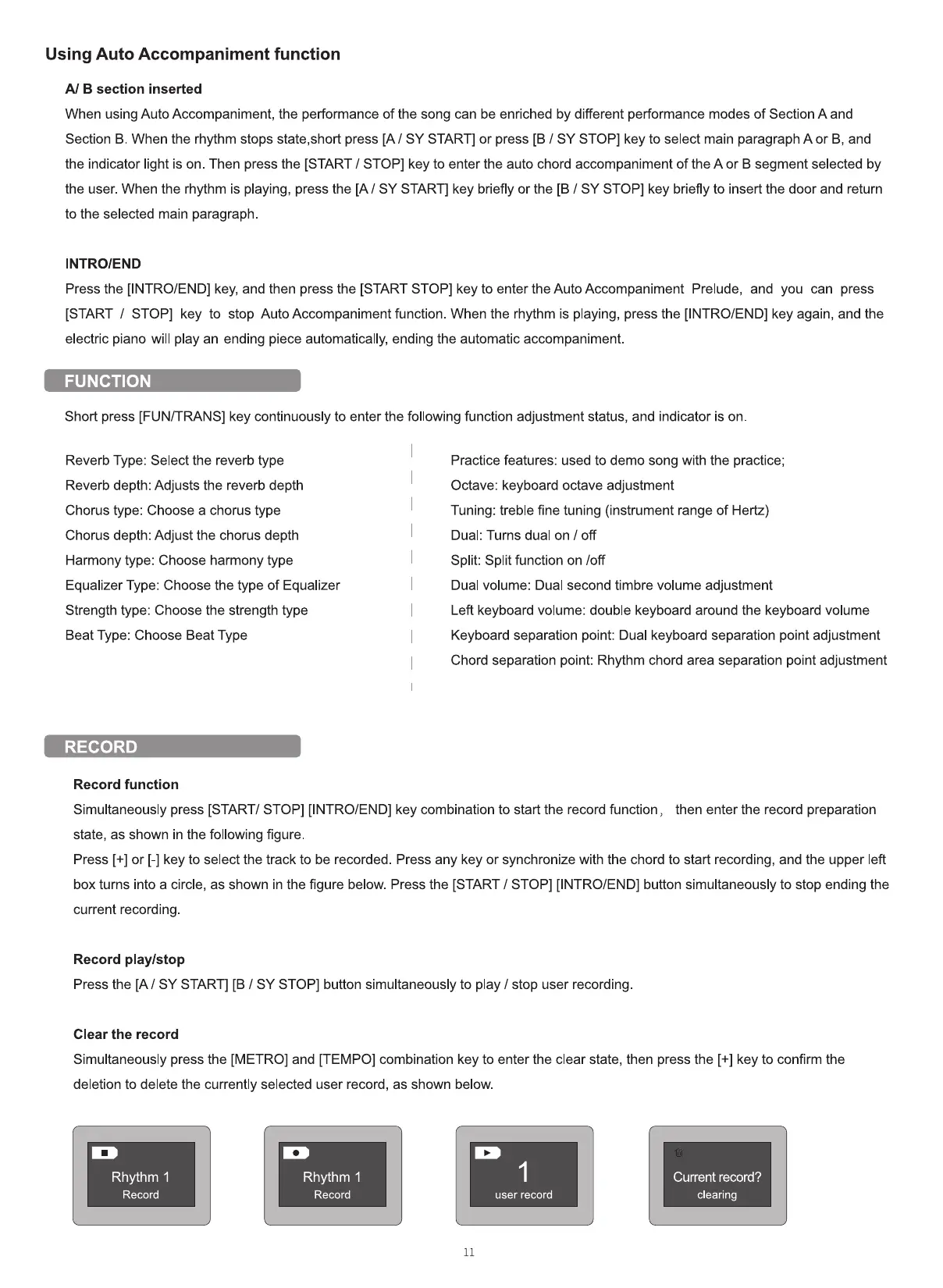
Simultaneously press [START/ STOP] [INTRO/END] key combination to start the record function, then enter the record preparation
state, as shown in the following figure.
Press [+] or [-] key to select the track to be recorded. Press any key or synchronize with the chord to start recording, and the upper left
box turns into a circle, as shown in the figure below. Press the [START / STOP] [INTRO/END] button simultaneously to stop ending the
current recording
Record play/stop
Press the [A/ SY START] [B / SY STOP] button simultaneously to play / stop user recording.
Clear the record
Simultaneously press the [METRO] and [TEMPO] combination key to enter the clear state, then press the [+] key to confirm the
deletion to delete the currently selected user record, as shown below.
Rhythm 1
Record
Rhythm 1
Record
Current record?
clearing
user record
11


 To Next Page
 Loading...











