Function Introduction
Piano Demo
The piano is built-in 5 beautiful piano demos. (See Appendix for details-
Piano Demo.)
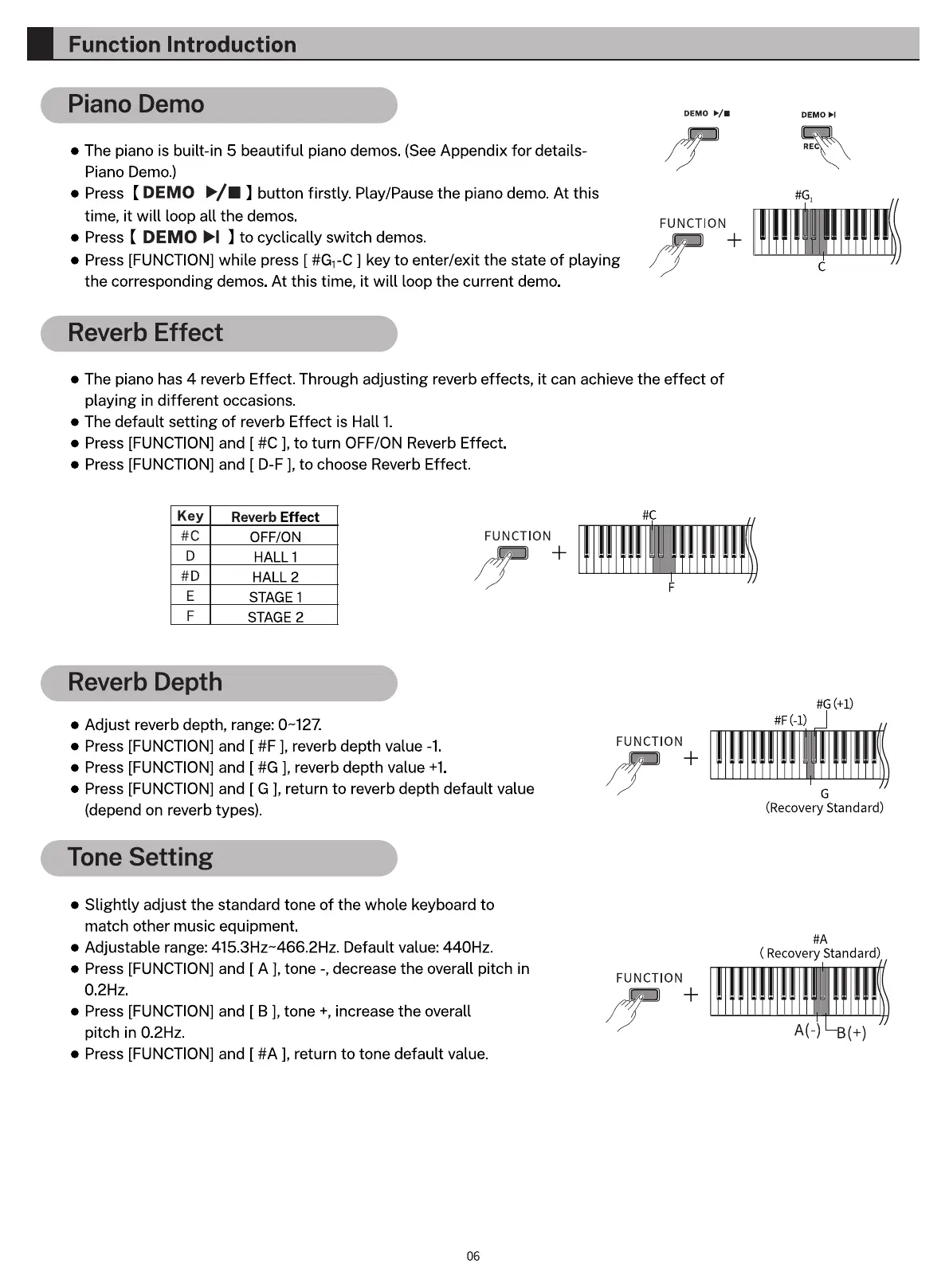
Press ( DEMO button firstly. Play/Pause the piano demo. At this
time, it will loop all the demos.
Press [ DEMO to cyclically switch demos.
Press [FUNCTION] while press [ #GI-C ] key to enter/exit the state of playing
the corresponding demos. At this time, it will loop the current demo.
Reverb Effect
DEMO S/.
FUNCTION
DEMO
e The piano has 4 reverb Effect. Through adjusting reverb effects, it can achieve the effect of
playing in different occasions.
e The default setting of reverb Effect is Hall 1.
Press [FUNCTION] and [ l, to turn OFF/ON Reverb Effect.
Press [FUNCTION] and [ D-F ], to choose Reverb Effect.
Key
D
Reverb Effect
OFF/ON
HALL 1
HALL 2
STAGE 1
STAGE 2
FUNCTION
Reverb Depth
Adjust reverb depth, range: 0-127.
Press [FUNCTION] and [ #F ], reverb depth value -1.
Press [FUNCTION] and [ #G ], reverb depth value +1.
Press [FUNCTION] and [ G ], return to reverb depth default value
(depend on reverb types).
Tone Setting
Slightly adjust the standard tone of the whole keyboard to
match other music equipment.
Adjustable range: 415.3Hz-466.2Hz. Default value: 440Hz.
e Press [FUNCTION] and [ A tone -, decrease the overall pitch in
O.2Hz.
e Press [FUNCTION] and [ B ], tone +, increase the overall
pitch in 0.2Hz.
• Press [FUNCTION] and [ #A ], return to tone default value.
06
FUNCTION
(Recovery Standard)
( Recovery Standard)
FUNCTION



 To Next Page