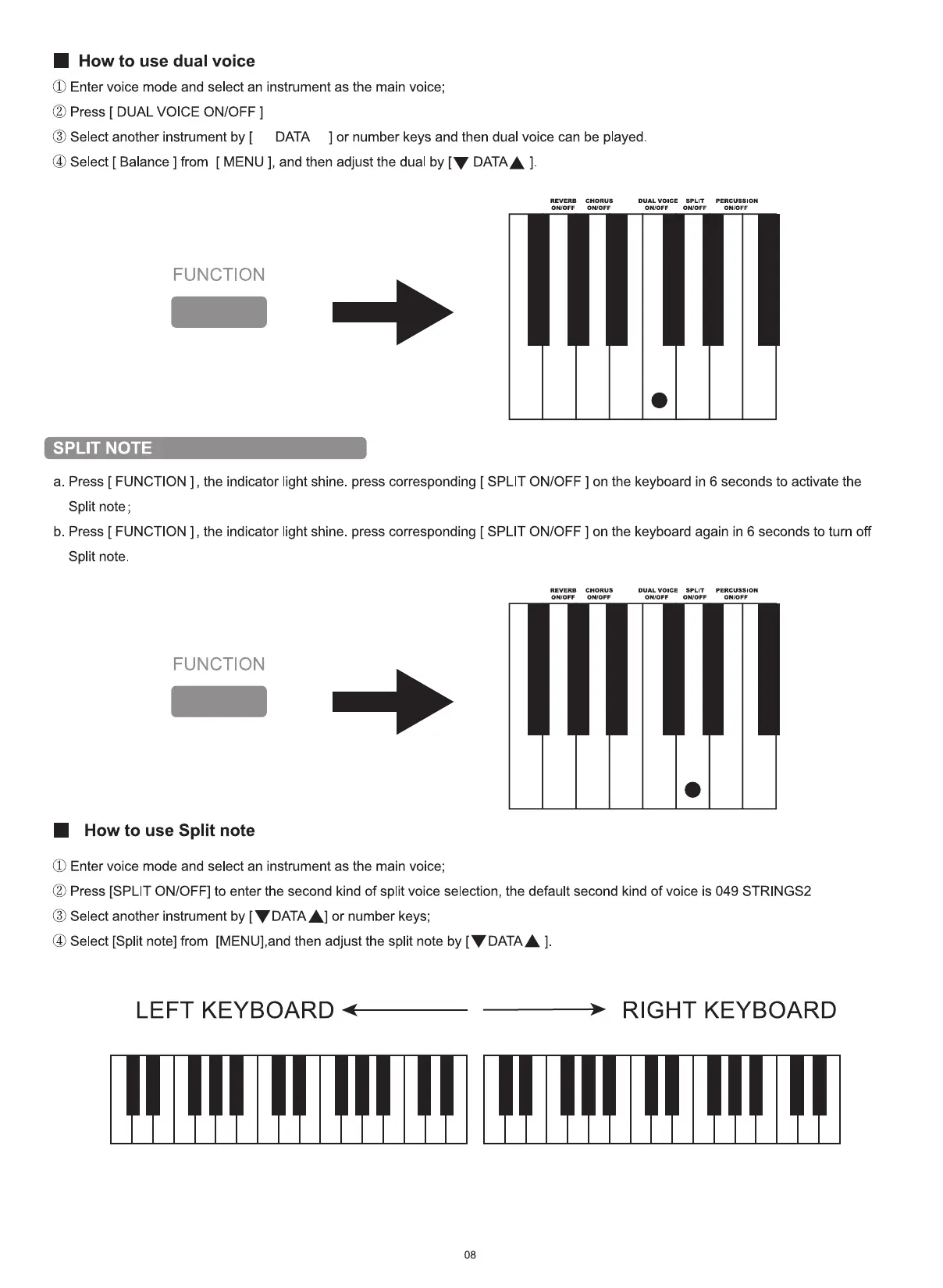
• How to use dual voice
(l) Enter voice mode and select an instrument as the main voice;
Press [ DUAL VOICE ON/OFF ]
(3) Select another instrument by [ DATA ] or number keys and then dual voice can be played.
@ Select [ Balance ] from [ MENU ], and then adjust the dual by [V DATAA
REVERB
ONIOFF
FUNCTION
SPLIT NOTE
CHORUS
ON/OFF
DUAL VOICE
OMOFF
SPLIT
ONIOFF
PERCUSSION
ON\OFF
a. Press [ FUNCTION ] , the indicator light shine. press corresponding [ SPLIT ON/OFF ] on the keyboard in 6 seconds to activate the
Split note;
b. Press [ FUNCTION ] , the indicator light shine. press corresponding [ SPLIT ON/OFF ] on the keyboard again in 6 seconds to turn off
Split note.
REVERB
ONIOFF
FUNCTION
• How to use Split note
(L) Enter voice mode and select an instrument as the main voice;
CHORUS
ONYOFF
DUAL VOICE
ONIOFF
SPLIT
ow0FF
PERcuss.0N
ONYOFF
(2) Press [SPLIT ON/OFF] to enter the second kind of split voice selection, the default second kind of voice is 049 STRINGS2
(8) Select another instrument by [V DATAA] or number keys;
@ Select [Split note] from [MENU],and then adjust the split note by [V DATAA
LEFT KEYBOARD RIGHT KEYBOARD
08


 To Next Page