PERCUSSION SETTING
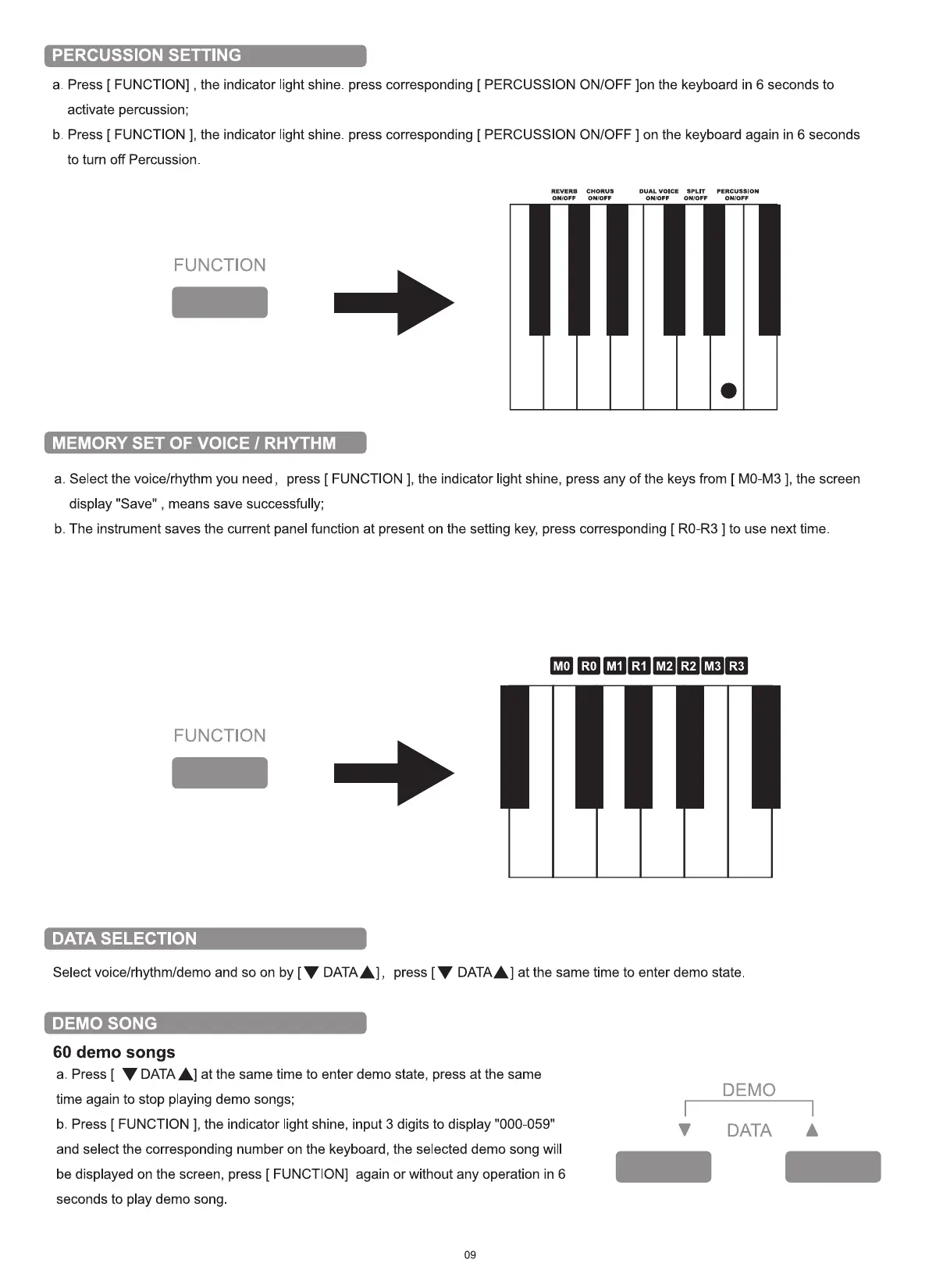
a. Press [ FUNCTION] , the indicator light shine. press corresponding [ PERCUSSION ON/OFF Ion the keyboard in 6 seconds to
activate percussion;
b. Press [ FUNCTION ], the indicator light shine. press corresponding [ PERCUSSION ON/OFF ] on the keyboard again in 6 seconds
to turn off Percussion.
REVERB
ONIOFF
FUNCTION
MEMORY SET OF VOICE 1 RHYTHM
CHORUS
ON,'OFF
DUAL VOICE
OWOFF
SPLrr
OWOFF
PERCUSSION
ON,'OFF
a. Select the voice/rhythm you need, press [ FUNCTION ], the indicator light shine, press any of the keys from [ MO-M3 ], the screen
display "Save" , means save successfully;
b. The instrument saves the current panel function at present on the setting key, press corresponding [ RO-R3 ] to use next time.
FUNCTION
DATA SELECTION
Select voice/rhythm/demo and so on by [V DATA A] ,
DEMO SONG
60 demo songs
MO RO MI RI M2 R2 M3 R3
press [V DATAA] at the same time to enter demo state
a. Press [ V DATAA] at the same time to enter demo state, press at the same
time again to stop playing demo songs;
b. Press [ FUNCTION ], the indicator light shine, input 3 digits to display "000-059"
and select the corresponding number on the keyboard, the selected demo song will
be displayed on the screen, press [ FUNCTION] again or without any operation in 6
seconds to play demo song
09
DEMO
V DATA A


 To Next Page