7
The D600 comes set in its
recommended factory
settings. Once you have
your
machine
set up,
flip
the
main
power switch, located below the control
panel, into the on position.
1. Pour mix into the hopper and be sure not to overfill past the maximum
capacity line.
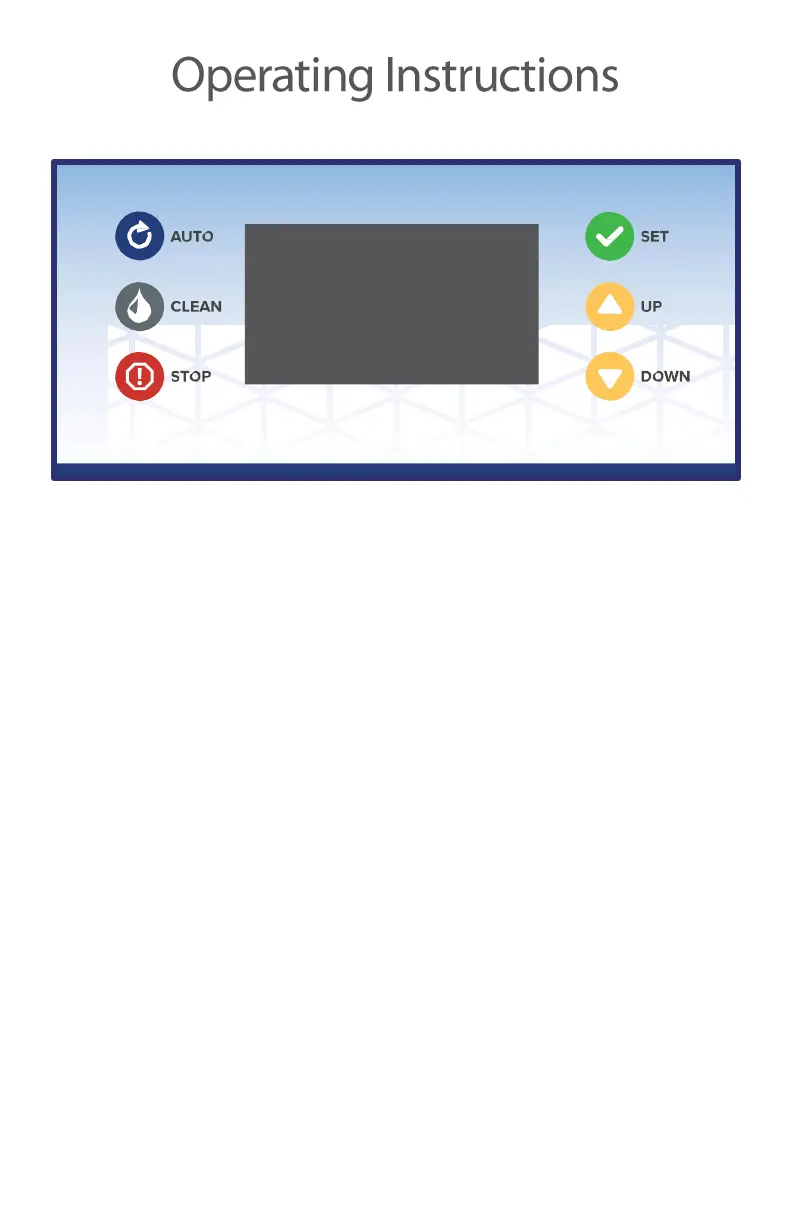
2. Press the “AUTO” button and the drive motor will turn on as well as the
compressor. The D600 will continue to cool until the number displayed on
the left side of the display panel reaches 99. This number represents the
percentage of total hardness which your soft serve has reached.
3. Once 99% hardness has been reached the drive motor and compressor
will shut off and will stay off for 5 minutes if the machine is not interrupted.
If the dispensing handle is pulled, then the drive motor and compressor
will restart immediately until the handle is released and the hardness has
returned to 99%
4. If the machine reaches 99% and you feel that the soft serve is not as firm
or as thick as you would like, then you can make some quick adjustments.


 To Next Page