4910
4910
REVERSE
SENSITIVITY
REVERSE
LOOP
EXIT
LOOP
KEY SWITCH
DOORKING
4602-010
SW1 SW2
OPEN
TIMER
WARNING
MOV
ING
GATE
C
A
N CA
USE
O
pe
r
a
te
ga
te
only
whe
n
ga
te
a
r
e
a
is
in sight
a
nd
fr
e
e
of
pe
ople
a
nd
obs
tr
uc
tions
.
Do
not
a
llow
c
hildr
e
n
to
pla
y
in
gate
a
r
e
a
or
ope
r
a
te
ga
te
.
D
o
not
s
ta
nd
in
gate
pa
th
or
wa
lk
thr
ough
path
while
ga
te
is
mov
ing.
R
e
a
d
owne
r’s
ma
nua
l
a
nd
s
a
fe
ty
ins
tr
uc
tions
.
SE
RIO
US
INJU
RY
OR
D
E
AT
H
CLA
SS
CE
RT
I
F
I
E
D
T
O
C
AN
/
CSA C2
2
.2
N
O
. 2
4
7
CO
N
F
O
R
MS
T
O
AN
S
I
/
UL-3
2
5
VEH
I
CU
LAR G
A
TE O
PER
ATO
R
H
P
53382
MO
D
E
L
SERI
A
L
VO
LT
S PH
A
SE
AMPS 6
0
Hz
MAX G
A
T
E
L
O
AD
Do
orK
ing
, In
c
., In
g
le
wo
o
d
, CA
ON
ON
R
EVER
S
E
S
ENS
ITIVITY
RE
VE
R
S
E
LOOP
EXIT
LOOP
KEY
SWI
TC
H
DOOR
KING
46
0
2-0
10
S
W1
S
W
2
OPE
N
TIMER
N
C
1
2
3
4
5
N
O
2.5”
Concrete Pad
Center
14.5”
Conduit Area
Electronic Box
8.5”
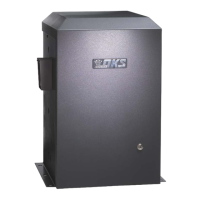
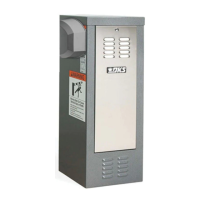
QUICKSTART “BASIC” GUIDELINES FOR MODEL 9150 - FRONT INSTALLATION MOUNTED ON A CONCRETE PAD
Model 9150 is intended for installation only on sliding gates used for vehicles.
Pedestrians must be supplied with a separate access opening. For safety and installation instructions, please refer to the Installation/Owner’s manual.
Copyright 2016 DoorKing, Inc. All rights reserved.
9150-066-H-5-16
Concrete pad
MUST be level!
This depth of the concrete pad is
determined by soil conditions and
local building codes (reinforced
concrete recommended).
Loosen the 2 nuts under the
electronic box to swing box up.
Use 3/4-inch conduit
with sweeps.
Use (4) 3/8” x 2”
Sleeve Anchors
(Not supplied).
Loop Conduit
AC Power
Conduit
4” minimum
above ground.
Opening
Direction
Switch 1 OFF.
21.5” Minimum
26” Minimum
Idler
Wheel
Use existing
wire restrainers
to keep wire
away from
moving
parts.
Concrete Pad
• Chain MUST be parallel to gate!
• Chain bracket MUST line up with
idler wheels!
Chain brackets
MUST be mounted
the same height as
the chain on the
idler wheels!
Chain
Bracket
SW 1
1 2345678
ON
Opening
Direction
Switch 1 ON.
SW 1
1 2345678
ON
B
B
A
C
High Voltage Connection
Tip: It is recommended that a surge suppressor be
installed on the high voltage power lines.
GATE OPERATOR MUST BE PROPERLY GROUNDED!!
The 9150’s open/close limits DO NOT have to be
physically adjusted. Every time the 9150 is powered
up, the first open command will automatically run
“2 open/close gate cycles” that will locate and
remember the gate’s open and close limit
positions. These limit positions are determined by
where the physical stops have been installed. It does
not matter what position the gate is in before
running this sequence. The gate will function
normally after this automatic sequence
has finished.
Adjust the chain nuts to tighten the chain.
The chain should sag no more than one
(1) inch per 10 feet of chain travel.
Do not over tighten the chain.
Automatic Limits
Chain Adjustment
Note: Auto-close timer should be
on before running this sequence.
Chassis Ground
White - Neutral
Black - 115 VAC Hot
Green - Chassis Ground
Hot
Neu
Every time the 9150 is powered up, the First open
command will automatically run “2 open/close gate
cycles” that will locate and remember the gate’s open
and close limit positions. See “Automatic Open/Close
Limit Adjustment” in Installation/Owner’s manual for
more information.
1” minimum space between the gate and the operator housing.
21.5”
Min.
26” Min.
Concrete Pad and Conduit Area
Circuit Board Settings
ON
12345678
SW 2
ON
12345678
SW 1
1. Opening Direction (See Illustration)
2. ON
3. OFF
4. OFF
5. OFF
6. OFF
7. OFF
8. OFF
1. ON
2. OFF
3. OFF
4. OFF
5. OFF
6. OFF
7. OFF
8. OFF
Auto-Close Timer
Adjust 1 to
23 sec.
123
Note: SW 2, switch 1 is
turned on when plug-in
exit loop detector is
installed.
SW 1, Switch 1 - Must OPEN the gate upon initial AC
power up and open command. If the open command
begins to close the gate, turn AC power off and
reverse this switch. (See reverse side)
“Basic” Setting of DIP-Switches
OPEN
TIMER
Cycles the operator
when pressed.
Key Switch
Warning Signs
High Voltage
AC Power Wire
B
Radio Receiver
C
Not included - Refer to a specific Radio Receiver
Manual (available from www.dkaccess.com) for
more information on radio receivers and antenna
installation. (See reverse side for wiring)
Plug-In Loop Detectors
Not included - Refer to the Installation/Owner’s
manual AND Loop Information Manual (available from
www.dkaccess.com) for more information on loops
and plug-in loop detectors.
Important Note: DoorKing highly recommends that
loops and loop detectors are installed with this slide
gate operator. A loop detection system will preventing
the gate from automatically opening or closing on a
vehicle when it is in the gate’s path.
DO NOT power up and cycle the operator without “Physical Stops” installed
to stop the gate in the open and close positions, (Chain stops are included with
the operator but other physical stops can be used) damage could occur to the
gate and operator.
Chain stop’s rubber
bumpers face toward
operator. They will make
contact with the operator
housing during the initial
automatic open/close
limits setting
sequence.
Physical Stops MUST be Used to Stop Gate
Anti-
Grounding
Plate
Connect Chain
Bracket
and
Chain
to Gate
Chain
Nut
Chain
Bolt
Option 2
Master
Link
Option 1
Gate
Frame
Chain nut and
chain bolt should not
protrude past gate frame.
Wire
Restrainer
Power safety and opening devices
that require 115 VAC power.
Two 115 VAC Convenience Outlets
Note: “Optional” High
Voltage Kit black and
white wires connect
the same as shown.
See High Voltage Kit
instruction sheet for
more information.
115 VAC
AC Power Terminal
DANGER
HIGH VOLTAGE!
120 S. Glasgow Avenue
Inglewood, California 90301
U.S.A.
At least ONE external
entrapment protection
device MUST be installed
or the operator will NOT
function. See reverse side
Permanently mount signs on BOTH sides of the
gate area and make sure they are easily visible.


 To Next Page
 Need help?
 General