OP000754Operating Controls
2-38
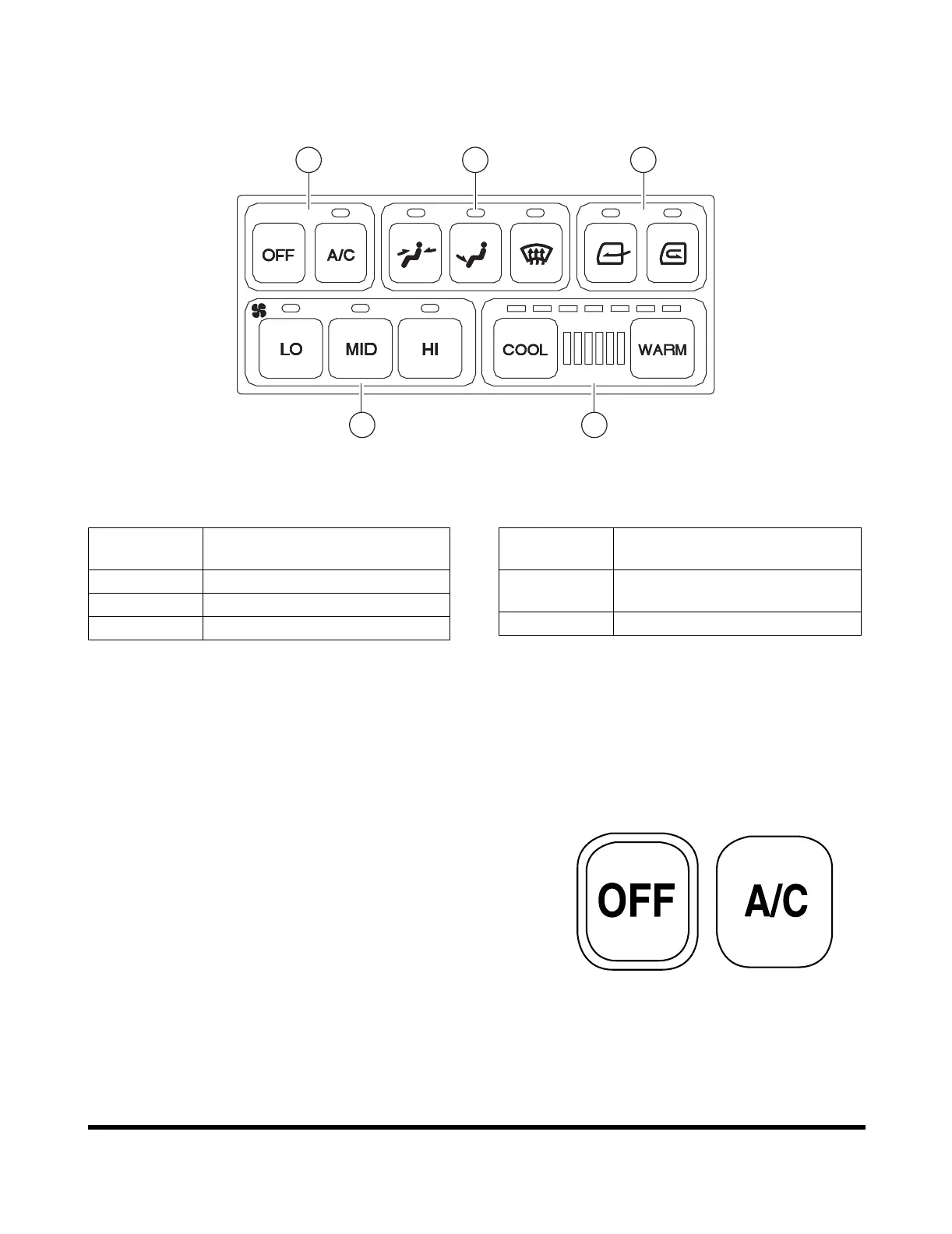
Operation Panel
When a switch is selected, the LED above that switch will turn
"ON" and give an activation sound.
When the light switch is turned "ON," the panel LED's will turn
"ON."
1. Fan and Air Conditioner Switch
A. "OFF" Switch - Turns "OFF" the heater and air
conditioner unit.
B. "A/C" Switch - Turns "ON" the air conditioner when
one of the blower switches is activated.
FG003966
1 4 5
2 3
Figure 81
Reference
Number
Description
1 Fan and Air Conditioner Switch
2 Blower Fan Switches
3 Temperature Control Switch
4 Selector Switch for Wind
Direction
5 Ventilation Selector Switch
Reference
Number
Description
Figure 82
HAOC930L


 To Next Page