
 Need help?
Do you have a question about the DORIC Fiber Photometry System and is the answer not in the manual?
Details typical system elements: console, mini cube, LED heads, rotary joint, cannula, patch cords.
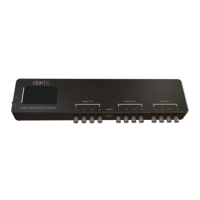
Overview of console's LCD screen, Digital I/O, HDMI, Analog Out/In ports, and power switch.
Identifies cube ports for excitation, emission, optogenetics, and sample connection.
Controls LEDs manually or via software, displays operating parameters.
Facilitates animal movement by allowing fiber rotation with minimal signal variation.
Minimize autofluorescence interference for improved signal quality.
Picowatt range sensor and amplifier for signal detection and transmission.
Battery-operated module for high sensitivity detection in picowatt range.
Sensitive PMT module for low light levels, requires specific power supply.
Step-by-step guide to connect console, LED driver, mini cube, and photodetectors.
Sets up console for continuous data acquisition and light excitation.
Sets up console for recording sessions with predefined durations and delays.
Sets up interleaved detection of two fluorescence signals on a single detector.
Configures console for lock-in detection using carrier frequencies and filters.
Sets up system for demodulating two signals at different carrier frequencies.
Extracts, processes, and saves photometry data in CSV format.
Provides contact details (phone and email) for inquiries and support.
 General
| Brand | DORIC |
|---|---|
| Model | Fiber Photometry System |
| Category | Laboratory Equipment |
| Language | English |

 To Next Page