EasyManua.ls Logo

Dormakaba KTV 4 - User Manual

Dormakaba KTV 4
24 pages
Print Icon
To Next Page IconTo Next Page
Loading...
KTV 3/4
FLEX Direct
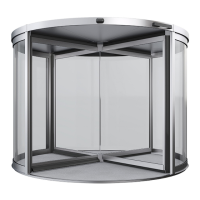
Revolving Door
Quick Start Guide

Other manuals for Dormakaba KTV 4

Question and Answer IconNeed help?

Do you have a question about the Dormakaba KTV 4 and is the answer not in the manual?

Summary

Safety

Automatic startup risks

Warning about risks of automatic startup and measures to prevent injury.

Moving component hazards

Details dangers like entanglement and crushing from moving door parts.

Weather condition risks

Alerts to dangers of operating in bad weather and necessary checks.

Operating and locking device elements

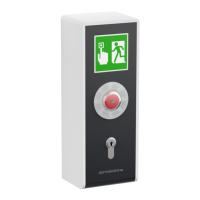
Emergency stop button function

Explains the operation and reset of the emergency stop switch.

Program switch settings

Additional device elements

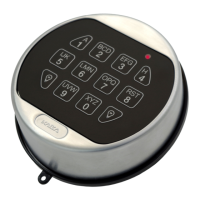
Locking device elements

Describes different locking mechanisms like rod and floor locks.

In case of emergency

Triggering the emergency stop

Step-by-step guide on how to activate and use the emergency stop button.

Deactivated safety equipment warning

Warning about risks when safety devices are inactive after emergency stop.

Start-up after emergency stop

Procedure to safely reset and restart the revolving door after an emergency stop.

Locking the revolving door

Closing and locking door electrically

Steps to electrically close and lock the revolving door.

Unlocking and switching on the revolving door

Summary

Safety

Automatic startup risks

Warning about risks of automatic startup and measures to prevent injury.

Moving component hazards

Details dangers like entanglement and crushing from moving door parts.

Weather condition risks

Alerts to dangers of operating in bad weather and necessary checks.

Operating and locking device elements

Emergency stop button function

Explains the operation and reset of the emergency stop switch.

Program switch settings

Additional device elements

Locking device elements

Describes different locking mechanisms like rod and floor locks.

In case of emergency

Triggering the emergency stop

Step-by-step guide on how to activate and use the emergency stop button.

Deactivated safety equipment warning

Warning about risks when safety devices are inactive after emergency stop.

Start-up after emergency stop

Procedure to safely reset and restart the revolving door after an emergency stop.

Locking the revolving door

Closing and locking door electrically

Steps to electrically close and lock the revolving door.

Unlocking and switching on the revolving door

Dormakaba KTV 4 Specifications

General IconGeneral
BrandDormakaba
ModelKTV 4
CategoryIntercom System
LanguageEnglish

Related product manuals