EasyManua.ls Logo

Dormakaba KTV 3 - User Manual

Dormakaba KTV 3
24 pages
Print Icon
To Next Page IconTo Next Page
Loading...
KTV 3/4
FLEX Direct
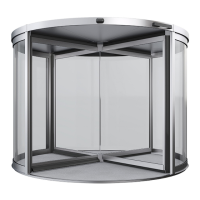
Revolving Door
Quick Start Guide

Other manuals for Dormakaba KTV 3

Question and Answer IconNeed help?

Do you have a question about the Dormakaba KTV 3 and is the answer not in the manual?

Summary

About this quick start guide

Safety

Automatic startup KTV P;S;A

Risk of injury from automatic startup. Never operate when people are present.

Moving components

Hazard of entanglement, crushing, and cutting during operation. Keep children away from the door.

Weather conditions

Danger to life from bad weather conditions. Check and discontinue operation if needed.

Operating and locking device elements

Summary of control elements type P;S;A

Overview of control elements: emergency stop, program switch, and disabled access pushbutton for type P/S/A.

KTV M controls

Details on KTV M doors, manually operated with optional speed limiter.

Locking device elements*

Description of locking devices: rod lock, floor locking device, and night shield.

In case of emergency

Trigger emergency stop

Procedure for activating the emergency stop button to halt the door.

Start-up after emergency stop

Steps to reset the emergency stop and restart the door.

Locking the revolving door

Locking with a rod locking device*

Instructions for locking with a rod locking device using a square key.

Unlocking with a rod locking device

Procedure for unlocking with a rod locking device using a square key.

Locking with a floor locking device*

Steps to lock with a floor locking device using a key.

Unlocking with a floor locking device

Procedure for unlocking with a floor locking device using a key.

Closing and locking the manual night shield*

How to close and lock manual night shield using key and square key.

Opening the manual night shield*

Instructions for opening manual night shield using a key.

Closing the electric night shield* and locking with the dead mans switch

Steps to close and lock electric night shield with dead man's switch.

Opening the electric night shield*

Procedure for opening electric night shield with dead man's switch.

Closing and locking the revolving door electrically*

How to electrically close and lock the door using the program switch.

Unlocking and switching on the revolving door

Using a transport opening*

Creating a transport opening

Steps to create a temporary transport opening.

Resetting the transport opening

Procedure to reset transport opening and return door wings to start position.

Opening as escape route*

Creating an escape route

Instructions to create an emergency exit by folding door wings.

Closing the escape route

Procedure to close escape route and return door wings to normal position.

Cleaning plan

Summary

About this quick start guide

Safety

Automatic startup KTV P;S;A

Risk of injury from automatic startup. Never operate when people are present.

Moving components

Hazard of entanglement, crushing, and cutting during operation. Keep children away from the door.

Weather conditions

Danger to life from bad weather conditions. Check and discontinue operation if needed.

Operating and locking device elements

Summary of control elements type P;S;A

Overview of control elements: emergency stop, program switch, and disabled access pushbutton for type P/S/A.

KTV M controls

Details on KTV M doors, manually operated with optional speed limiter.

Locking device elements*

Description of locking devices: rod lock, floor locking device, and night shield.

In case of emergency

Trigger emergency stop

Procedure for activating the emergency stop button to halt the door.

Start-up after emergency stop

Steps to reset the emergency stop and restart the door.

Locking the revolving door

Locking with a rod locking device*

Instructions for locking with a rod locking device using a square key.

Unlocking with a rod locking device

Procedure for unlocking with a rod locking device using a square key.

Locking with a floor locking device*

Steps to lock with a floor locking device using a key.

Unlocking with a floor locking device

Procedure for unlocking with a floor locking device using a key.

Closing and locking the manual night shield*

How to close and lock manual night shield using key and square key.

Opening the manual night shield*

Instructions for opening manual night shield using a key.

Closing the electric night shield* and locking with the dead mans switch

Steps to close and lock electric night shield with dead man's switch.

Opening the electric night shield*

Procedure for opening electric night shield with dead man's switch.

Closing and locking the revolving door electrically*

How to electrically close and lock the door using the program switch.

Unlocking and switching on the revolving door

Using a transport opening*

Creating a transport opening

Steps to create a temporary transport opening.

Resetting the transport opening

Procedure to reset transport opening and return door wings to start position.

Opening as escape route*

Creating an escape route

Instructions to create an emergency exit by folding door wings.

Closing the escape route

Procedure to close escape route and return door wings to normal position.

Cleaning plan

Dormakaba KTV 3 Specifications

General IconGeneral
BrandDormakaba
ModelKTV 3
CategoryIntercom System
LanguageEnglish

Related product manuals