dormakaba Quick Start Guide
20
Requirements
• The program switch is unlocked with a key/code.
• A second person must be present.
• There are no persons near or in the revolving door.
1.
Set program switch to the
position.
» The revolving door stops in the starting position
and releases the drive. The door wings can be
turned manually.
CAUTION!
Risk of injury due to improper program
change!
8 Opening as escape
route*
8.1 Creating an escape route
Personnel
• Operator
Special tool
• Key/code for program switch
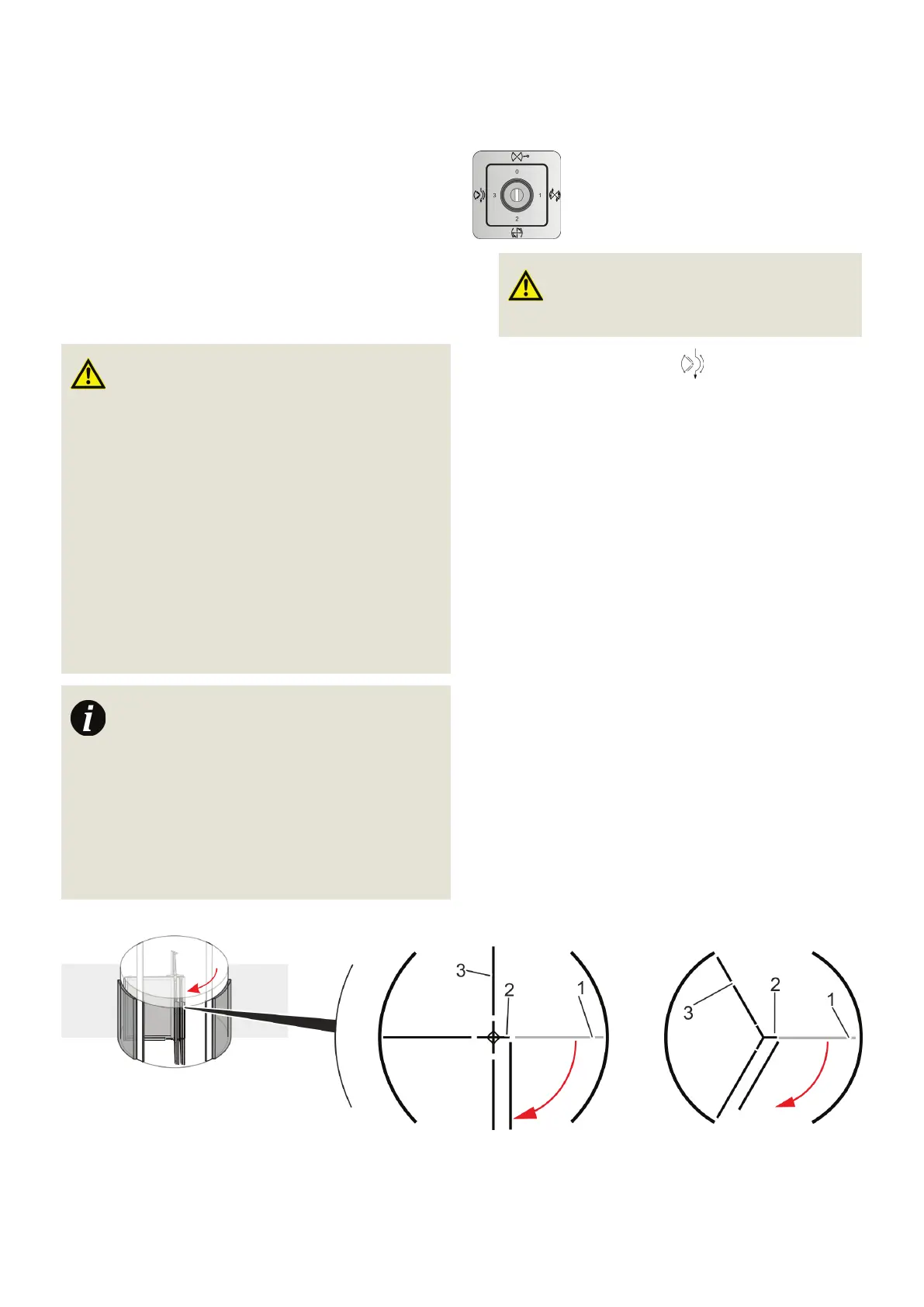
Fig. 14 Folding the wings to the side
(four and three wings)
WARNING!
Danger to life from a locked revolving door with
bookfold turnstile in an escape route!
If a locked revolving door with bookfold turn-
stile is locked or blocked, it cannot be used as
an emergency exit. This may result in injury or
death.
• Always keep free and never block the en-
trance and exit operated with a revolving
door with bookfold turnstile.
• Make sure that the revolving door is not
locked and is operated in one of the follow-
ing program switch settings: “ Summer ,”
“ Automatic 1 ” or “ Automatic 2 .”
Emergency exit in operation
The following description explains how an emer-
gency exit opening, e.g. for ventilation, can be
manually created. In an actual emergency, for
example if a group of people who want to leave
the building as quickly as possible rush the door
and push against the door wings, the wings will
also fold to the side. The drive is stopped in this
case and the wings are unlocked.


 To Next Page