English
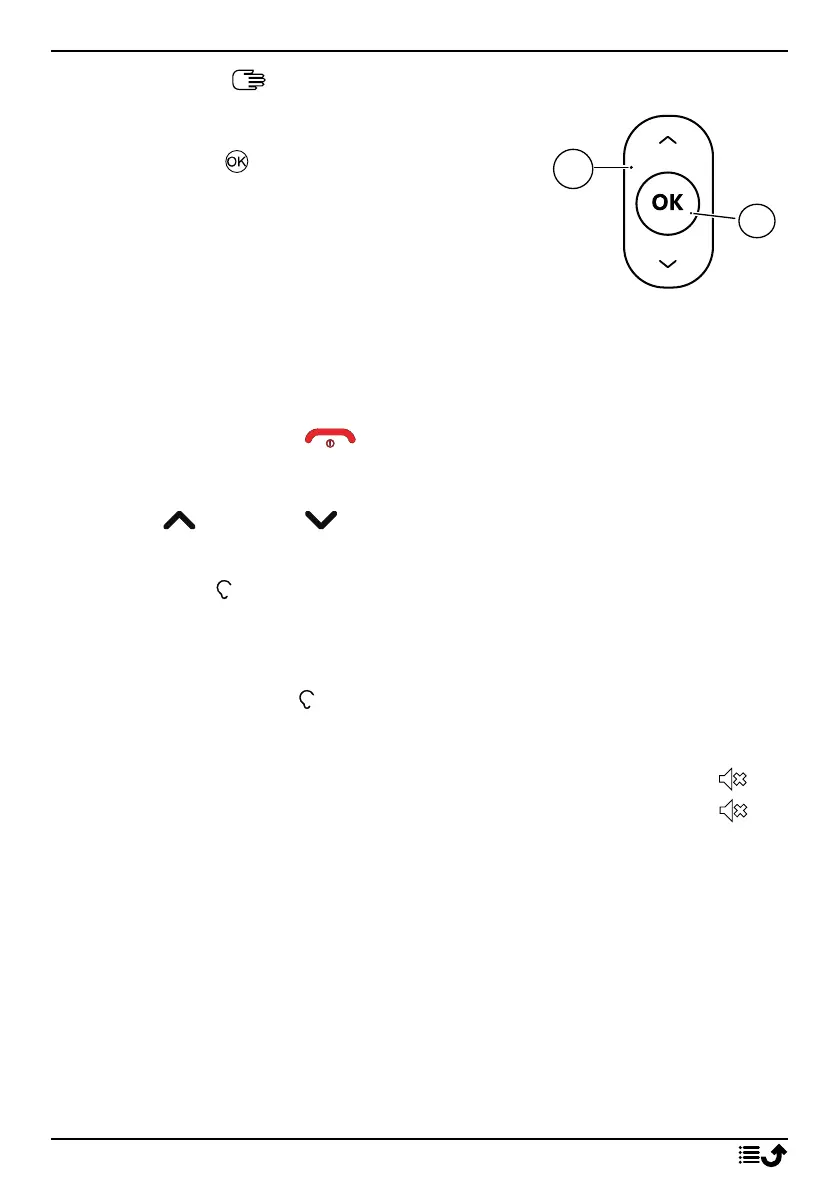
Navigation keys
• (A) Use the Navigation keys to navigate.
• (B) Use the to open the Menu and to
confirm actions.
Standby (idle mode)
When the phone is ready to use, and you have not keyed in any characters,
the phone is in standby.
Tip: You can always press to return to standby.
Volume keys
Use the up and down buttons to adjust the sound volume during a
call.
See also Volume , p.44 for more information.
Note! If you use a hearing aid or have hearing difficulties when using the
telephone in a noisy environment, you can adjust the phone's audio
settings, see Audio setup , p.43.
Silent mode
You can also set your device to silent mode: press and hold
#
until ap-
pears. To re-enable ring and message tones, press and hold
#
until dis-
appears. See also Alert type, p.45 to switch off notification sounds.
Headset
Note! Youmust use a headset with a 3.5 mm stereo plug. The USB-C
charging port does not have audio capability and will not support
connection of a USB-C headset.
When a headset is connected, the internal microphone in the phone is au-
tomatically disconnected. If available, use the answer key on the headset
to answer and end calls.
9



 To Next Page