English
• Version Info to see software version information.
• Release notes to see information about the software update
package.
4. If there is a an update available, you will be asked if you want to
download it. Press Yes to download the software update.
5. When download has finished, press Yes to install the software update.
IMPORTANT!
During an update your phone will be temporarily out of service,
even for emergency calls. All contacts, photos, settings, etc. will
remain safely stored in the phone. Do not interrupt the update
process.
6. When the software update installation is complete, the phone will au-
tomatically restart and you will possibly need to enter your PIN code
and/or phone code.
7. Press to complete the software update.
Additional functions
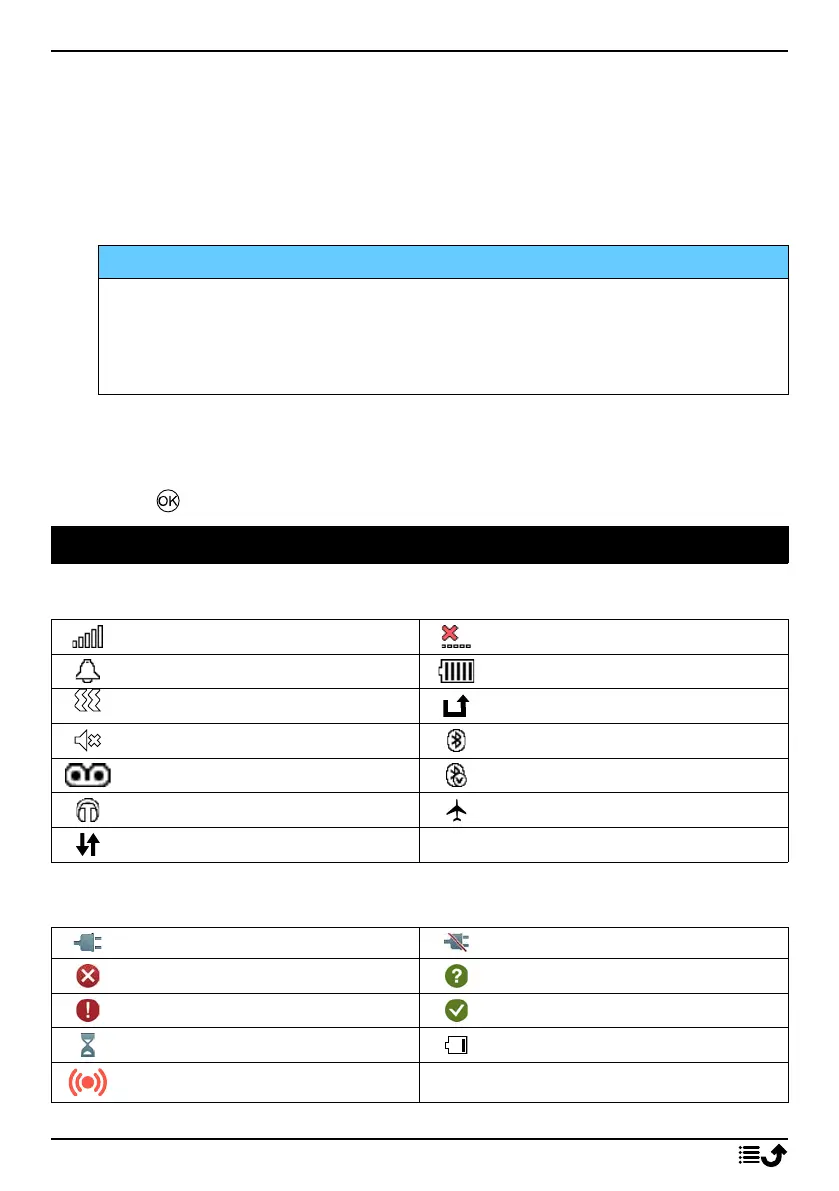
Display status symbols
Signal strength
No network coverage
Alarm active
Battery level
Vibration only
Call divert activated
Silent
Bluetooth on
Voicemail message received
Bluetooth connected
Headset connected
Flight mode activated
Data transmission
Display main symbols
Charger connected Charger removed
Error
Query
Warning
Done (confirmed)
Processing, please wait Battery level low
Assistance button call
48



 To Next Page