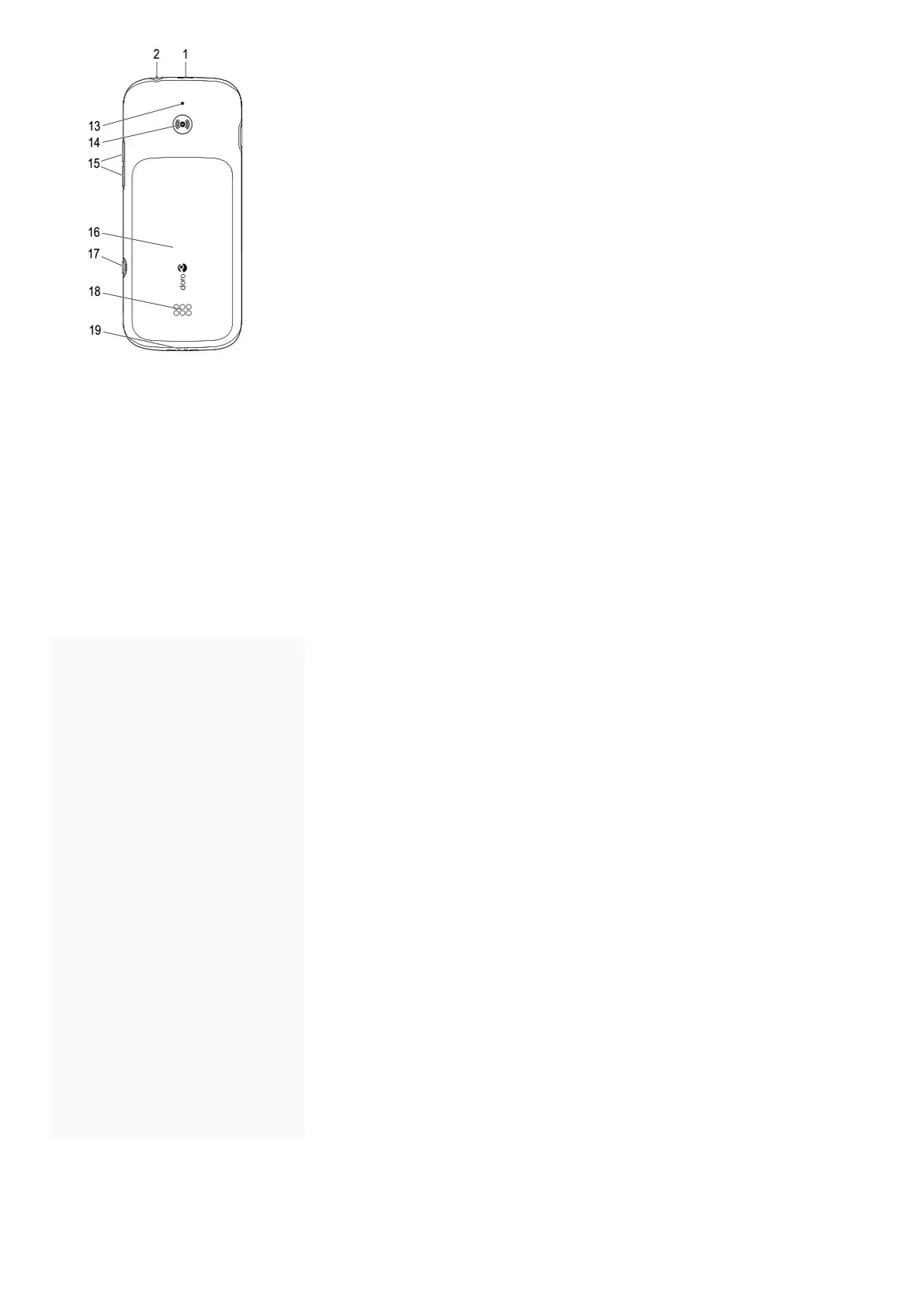
13. Second microphone
14. Assistance button
15. Volume keys
16. Battery cover
17. Settings menu
18. Loudspeaker
19. Charging cradle connectors
Note! All illustrations are for illustrative purposes only and may not accurately depict the actual device. The items supplied with your phone
might vary depending on the software and accessories available in your region or offer by your service provider. You can obtain additional
accessories from your local Doro dealer. The supplied accessories provide the best performance with your phone.
IMPORTANT!
Your device may use data services and you may incur additional charges for data services, such as messaging or using location services
depending on your data plan. We recommend that you check your data rates for your subscription with your service
provider.
Contents [ hide
1 GET STARTED
2 GET TO KNOW YOUR PHONE
3 CALLS
4 SOS/112 CALLS
5 ASSISTANCE BUTTON
6 RESPONSE BY DORO
7 RESPONSE PREMIUM BY DORO
8 LOCK KEYS
9 MY NUMBER
10 ICE
11 SAFETY TIMER
12 MESSAGING
13 CALL LOG
14 SETTINGS MENU
15 PHONEBOOK SETTINGS
16 WI-FI CONNECTION
17 BLUETOOTH ®
18 Help
19 SAFETY INSTRUCTIONS
20 CARE AND MAINTENANCE
21 WARRANTY
22 COPYRIGHT AND OTHER
NOTICES
23 TECHNICAL DATA
24 File Downloads
25 References
26 Related Manuals
GET STARTED
When you first get your phone, there is a few actions that you need to take before starting to use it.
Tip: Remove the plastic screen protector.
Unbox your new phone



 To Next Page