English
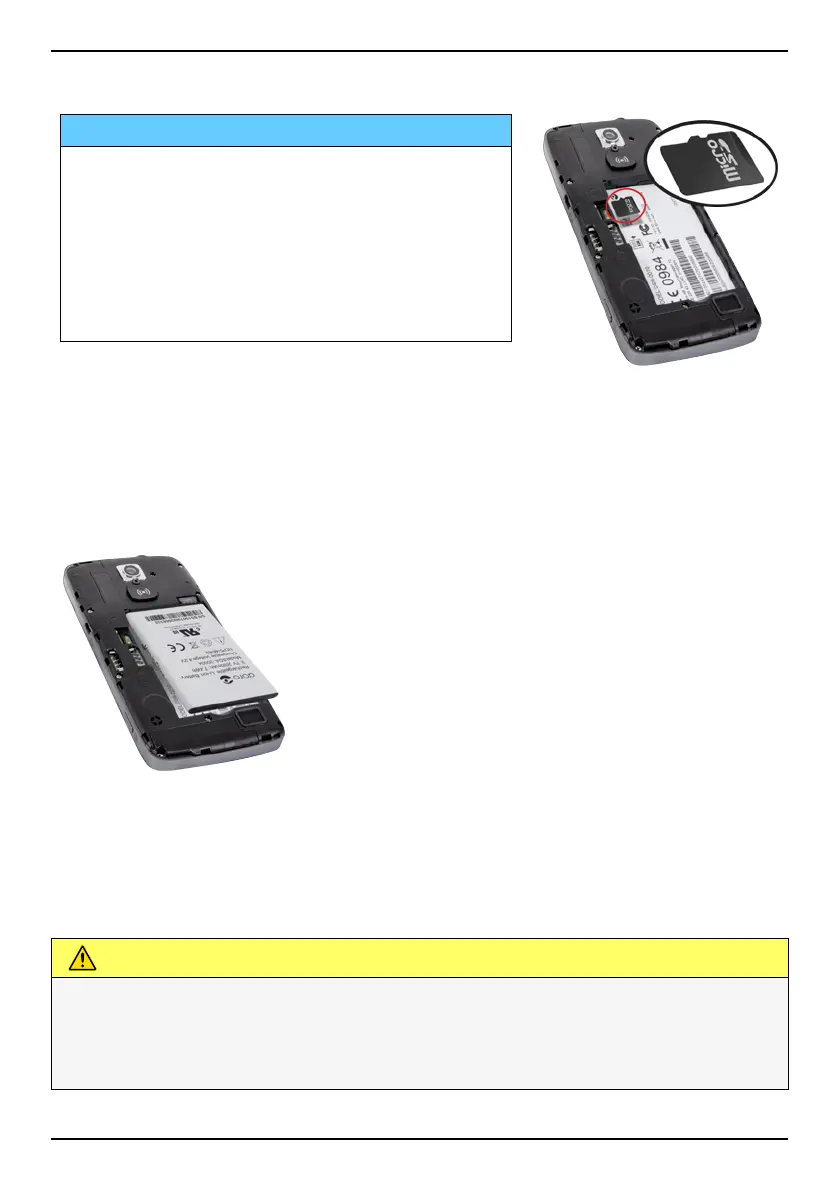
Insert the memory card
IMPORTANT!
Use only compatible memory cards with
this device. Compatible card type:
microSD, microSDHC.
Incompatible cards may damage the card
itself, the device and corrupt any data
stored on the card. Some phones may
have a pre-installed memory card.
Tip: Take care not to scratch or bend the
contacts on the memory or SIM card when
inserting them into the card holders.
See External memory, p.39 for additional info.
Insert the battery
Step 3— Charge
Charge your phone. While it's possible that your phone will already come
with enough charge to be powered on right out of the box, we recommen-
ded to give it a full charge before first using it.
CAUTION
Only use batteries, chargers and accessories that have been approved
for use with this particular model. Connecting other accessories may
be dangerous and may invalidate the phone's type approval and
warranty.
4



 To Next Page