English
Step 2— Insert memory card, SIM card and battery
IMPORTANT!
Turn off the phone and disconnect the charger before removing the
battery cover.
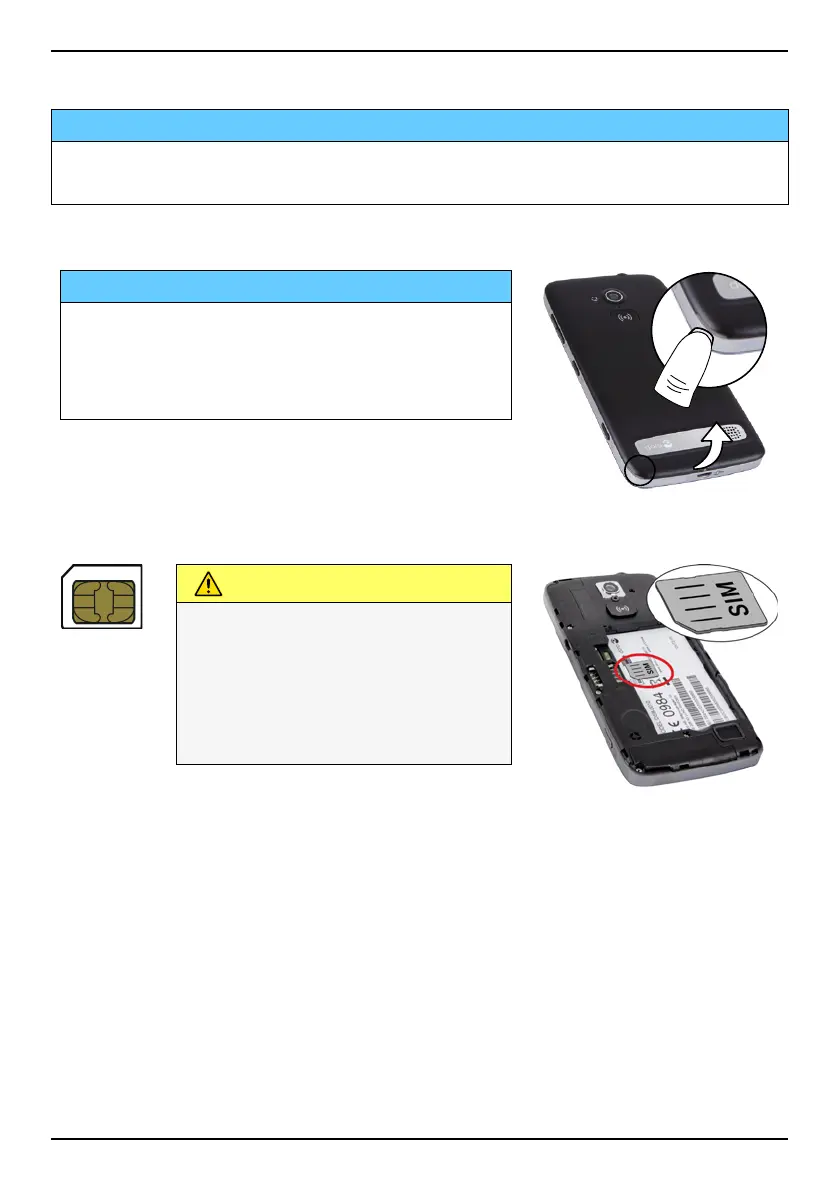
Remove the battery cover
IMPORTANT!
Be careful not to damage your fingernails
when you remove the battery cover. Do not
bend or twist the battery cover excessively
as it may get damaged.
Insert the SIM card
CAUTION
This device accepts micro SIM
or 3FF SIM card. Use of
incompatible SIM cards may
damage the card or the device,
and may corrupt data stored
on the card.
3



 To Next Page