ii
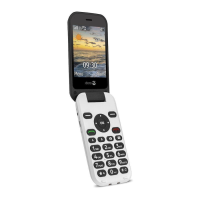
In editing mode, press to input
numbers or characters.
10. * key In standby mode, short press
to input “*”/ “+” / “P”/“W”;
In editing mode, press to input
special characters
11. # key In standby mode, long press to
switch between Normal and
Silent mode
In editing mode, press to
switch input methods
12. Micro-USB port Connection for charger or PC
13. Cradle charging contacts
14. Switch for torch
15. SOS key
16. Speaker
Downloaded from www.vandenborre.be



 To Next Page