L SERIES IP CAMERA USER MANUAL
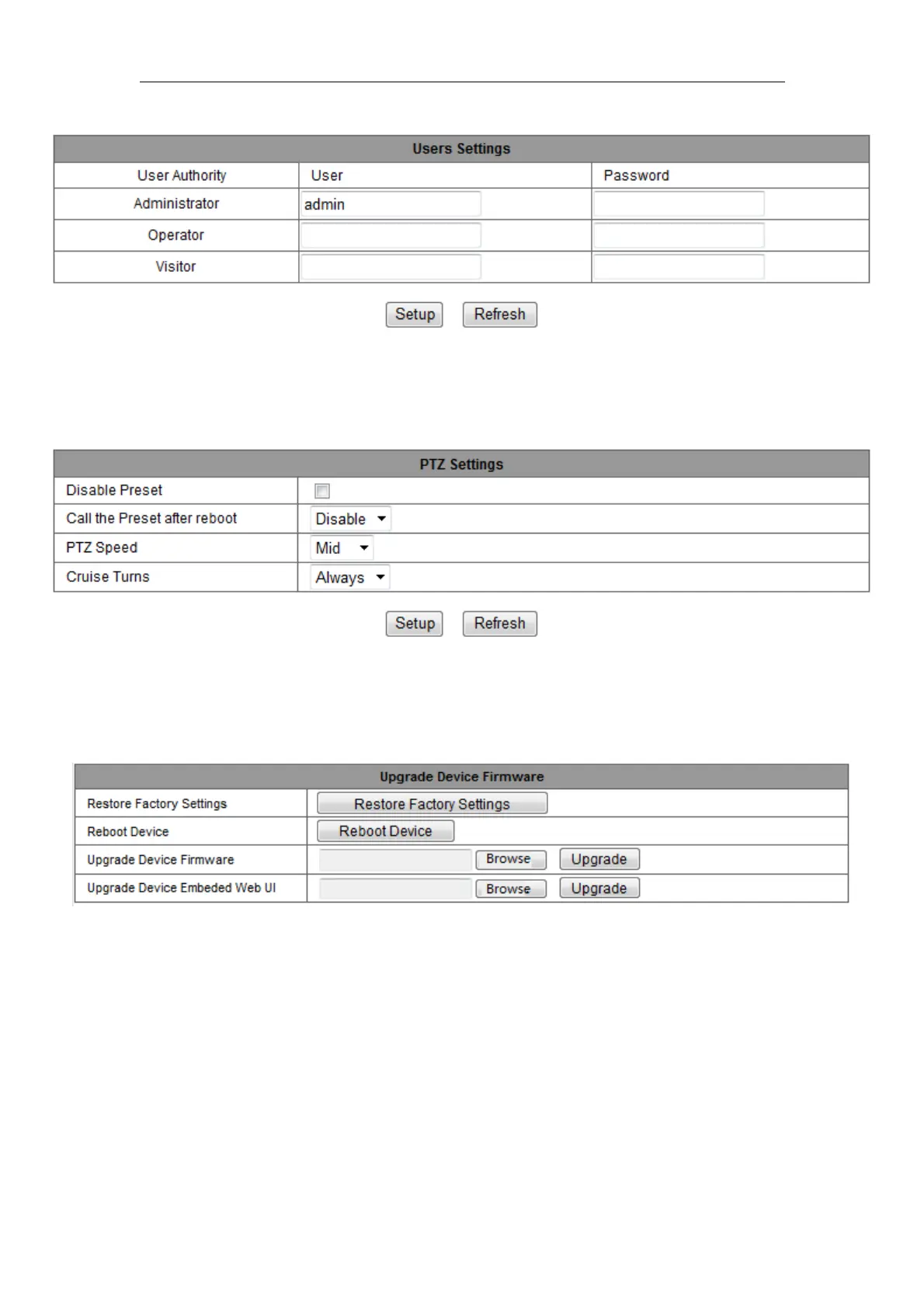
3.5.2 User Settings
Figure 22
3.5.3 PTZ settings
Figure 23
Note: When you set cruise turns all the time, the camera will automatically stop after
cruising one hour.
3.5.4 Maintain
Figure 24
Click “Restore factory settings”, it will pop up a dialog to ask you if restore factory
settings, the camera will restore factory settings and reboot after you confirmed.
There are two types software in the camera, one is device firmware, another is Web UI,
and you can upgrade them respectively.



 To Next Page