L SERIES IP CAMERA USER MANUAL
choose not to block.
You can hold on reset button on the camera for 10 seconds to restore factory default if you
forget user name and password, during the process, don’t disconnect the power, otherwise
the camera maybe damaged.
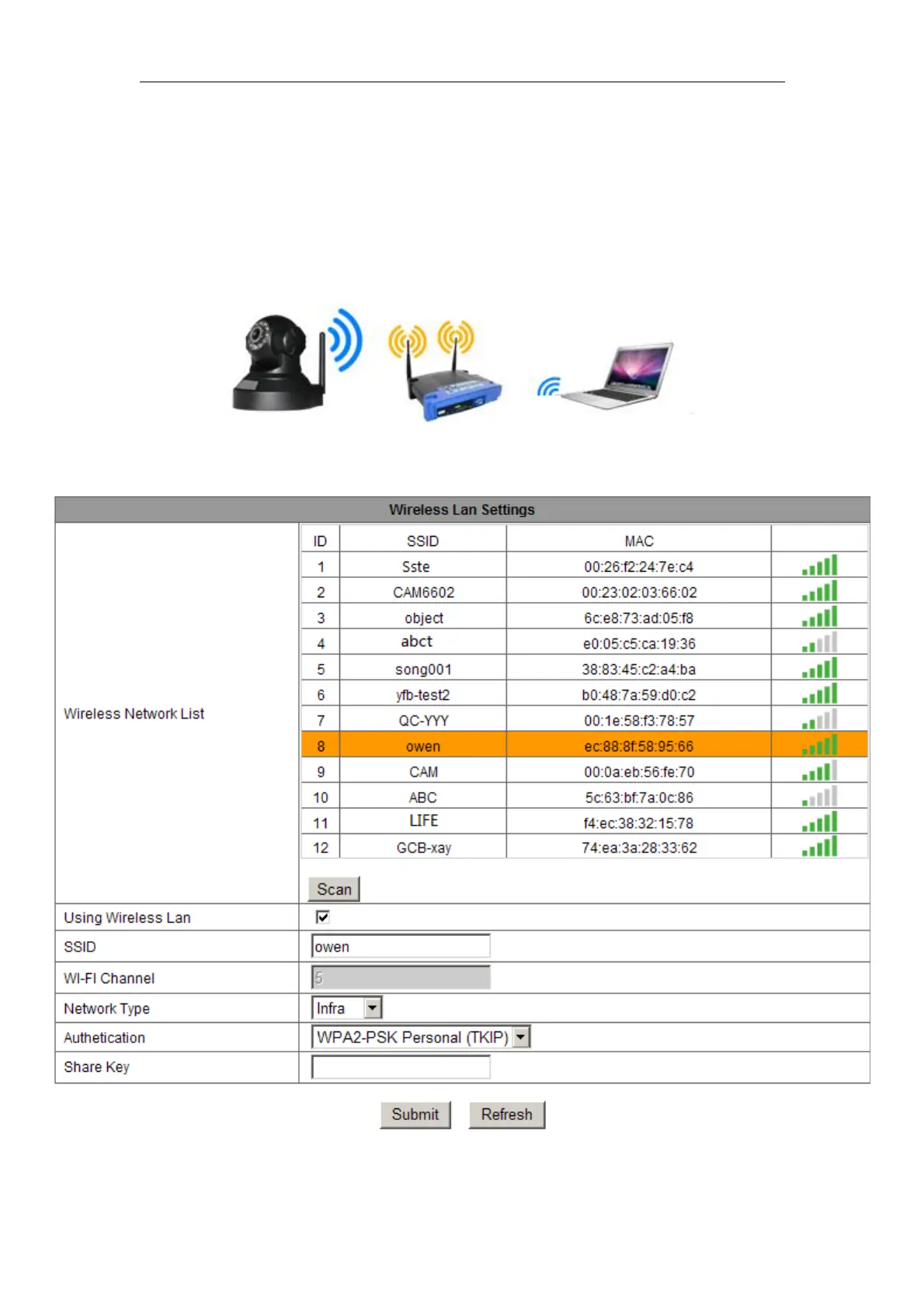
2.3 WIFI connecting to LAN
You can connect the camera with router by wireless connection, as figure 4.
Figure 4
Before
connecting
router by
wifi, please
connect them as chapter 2.2 to Login camera and enter wifi setting, and then operate as
the following step, example of figure 5.
Figure 5



 To Next Page