Status indicators
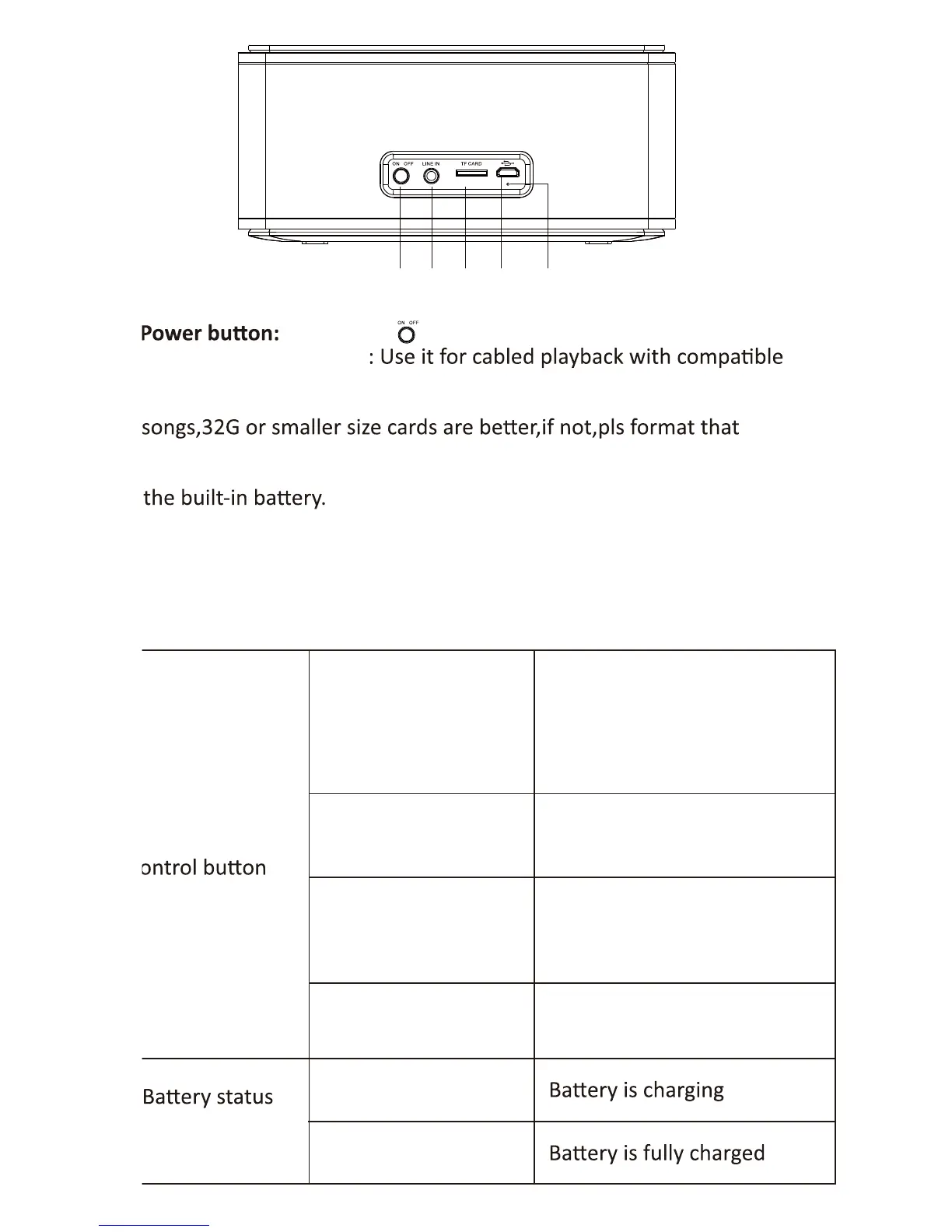
6. Long press to turn the device on and off.
7. Auxiliary Φ3.5mm jack
devices.
8. TF card: Use it for TF card (with music) playback. support mp3,wav,
to FAT32.
9. Charging port: Plug the supplied USB cable into this port to recharge
10. LED charging indicator.
• Charging : Steady Red.
• Fully charged : Steady Green.
Center indicator/
indicator
Flashing blue
Steady blue
Steady red
Steady green
Indicates that the speaker
has entered into the pairing
mode and it is ready to be
paired
Indicates that the device is
successfully paired
Steady red
Steady Green
Indicates that the device has
switched to the auxiliary
input mode
Indicates that the device has
switched to the TF mode
6 7 8 9 10



 To Next Page