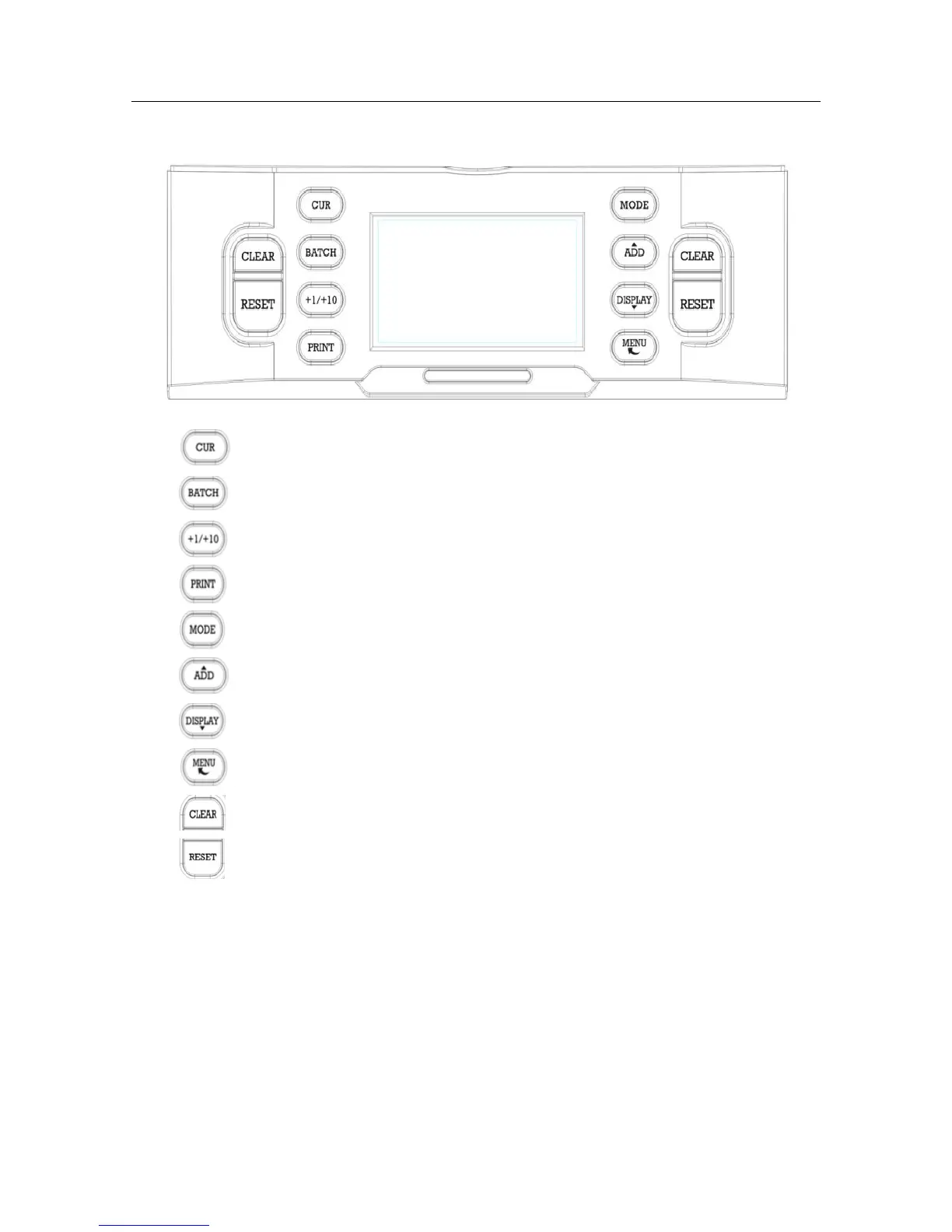
3. Explanation about the user’s panel
1] :Currency section.
2] :Batch function on/off and set batch number.
3] :Increase the batch number by 1(just press) or 10(press and hold).
4] :Send count report to print.
5] :Counting mode settings: MIX, SINGLE, FACE, ORIENT, COUNT.
6] :Add function on/off. Also served as a upward navigation key.
7] :View the counting result report. Also served as a downward navigation key.
8] :Open/ close device menu and go back previous level(in MENU mode).
9] :Clear the number of counted banknotes and turn the batch function off.
10] :Start counting/ Confirm selection in menu mode.



 To Next Page