
 Need help?
Do you have a question about the Douglas WIR-3110 and is the answer not in the manual?
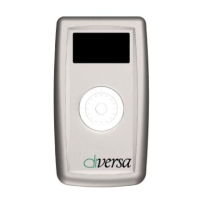
Overview of the WIR-3110 Infrared setting unit for Diversa Occupancy sensors, enabling touchless programming via IR technology.
Details WIR-3110 sensor identification: Model Number, Hardware/Firmware Version, Settings (read-only), and IR Lock status.
Configures Diversa Occupancy sensors: Mode (Occupancy/Vacancy), Vacancy Time, and Smart Sense duration.
Configures Diversa sensors: PIR Sensitivity, ADI Voice Sensitivity, Walk-Thru Mode, and Indicating LED.
Manages Diversa sensor features: On-board Switch, Photo ON/OFF, 0-10V Dimming, and Photo Controlled Dimming.
Sets up dual pole Diversa sensors for multi-level lighting sequences and alternating primary pole functions.
Configures override button functionality for Diversa sensors: ON/OFF, ON Only, or OFF Only for each pole.
Defines photo setpoints (On/Off) for switching and capturing ambient light levels for automated photo mode configuration.
Sets Photo Control modes (Disabled, Pole 2, Both Poles) and Switch Inhibit behavior based on ambient light.
Configures dimming parameters: Max/Min Limits, Fixed Dimming Output, and Unoccupied Function (Minimum Dim/Relay OFF).
Sets Auxiliary Contact Mode, sensor Reset options (All, Photo, Audio, None), and activates Test Mode for quick reaction time checks.
 General
| Brand | Douglas |
|---|---|
| Model | WIR-3110 |
| Category | Controller |
| Language | English |

 To Next Page