Douglas Lighting Controls Page 5 August 25, 2015
www.DouglasLightingControls.com Tech Support: 1-877-873-2797
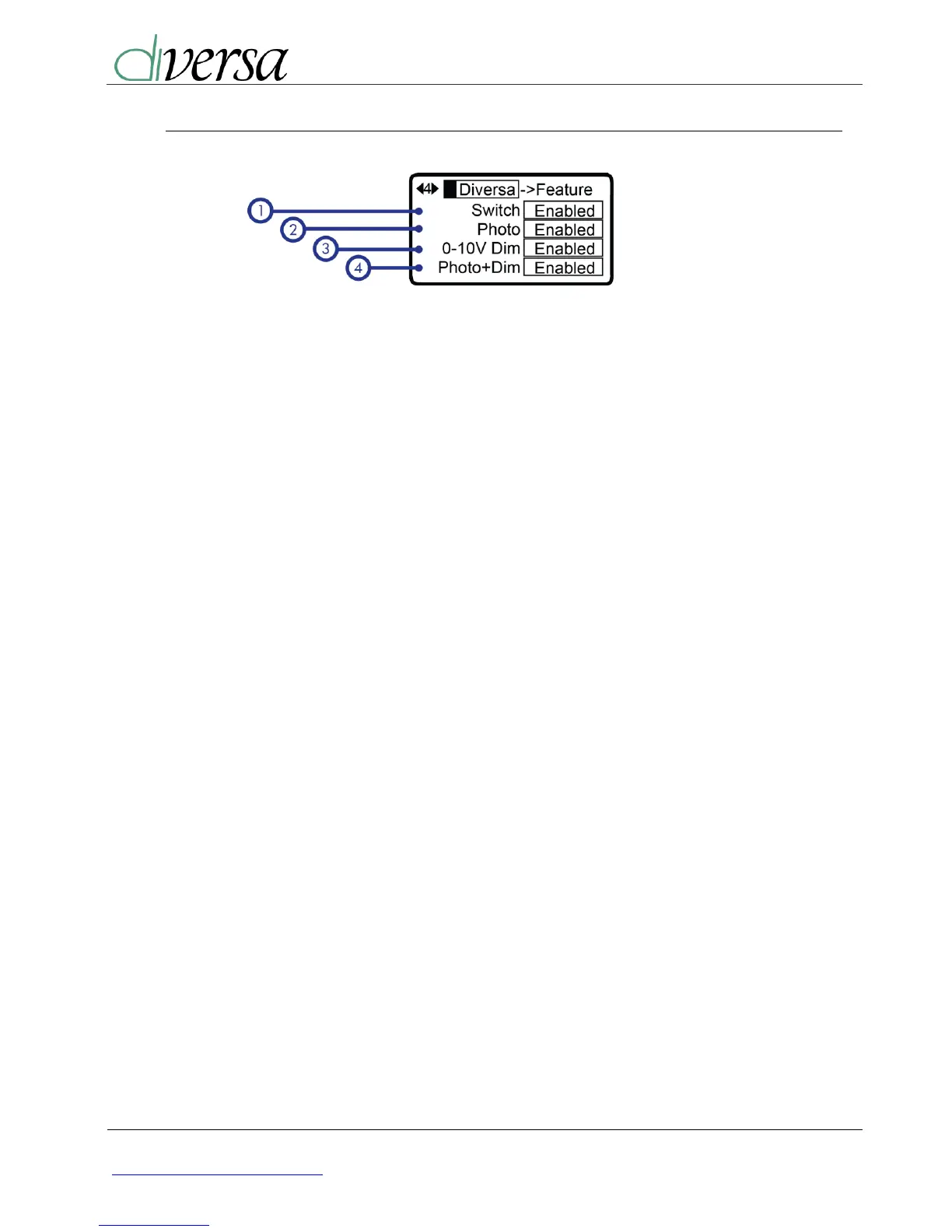
2.4. Feature Enabling Menu
1) Switching Feature:
Enable or Disable on-board
switch.
2) Photo ON/OFF Feature:
If equipped, enable or disable
the photocell feature. This
feature enables/disables lights if
adequate natural light is
present.
3) 0-10V Dimming:
If equipped, enable or disable the 0-
10V dimming output.
4) Photo Controlled Dimming:
If equipped, allow the 0-10V dimming &
photo options, enabling it’s function will
allow the 0-10V output to be controlled
by the photocell or at the fixed dim
level; see menu 9.


 To Next Page