Douglas Lighting Controls Page 4 August 25, 2015
www.DouglasLightingControls.com Tech Support: 1-877-873-2797
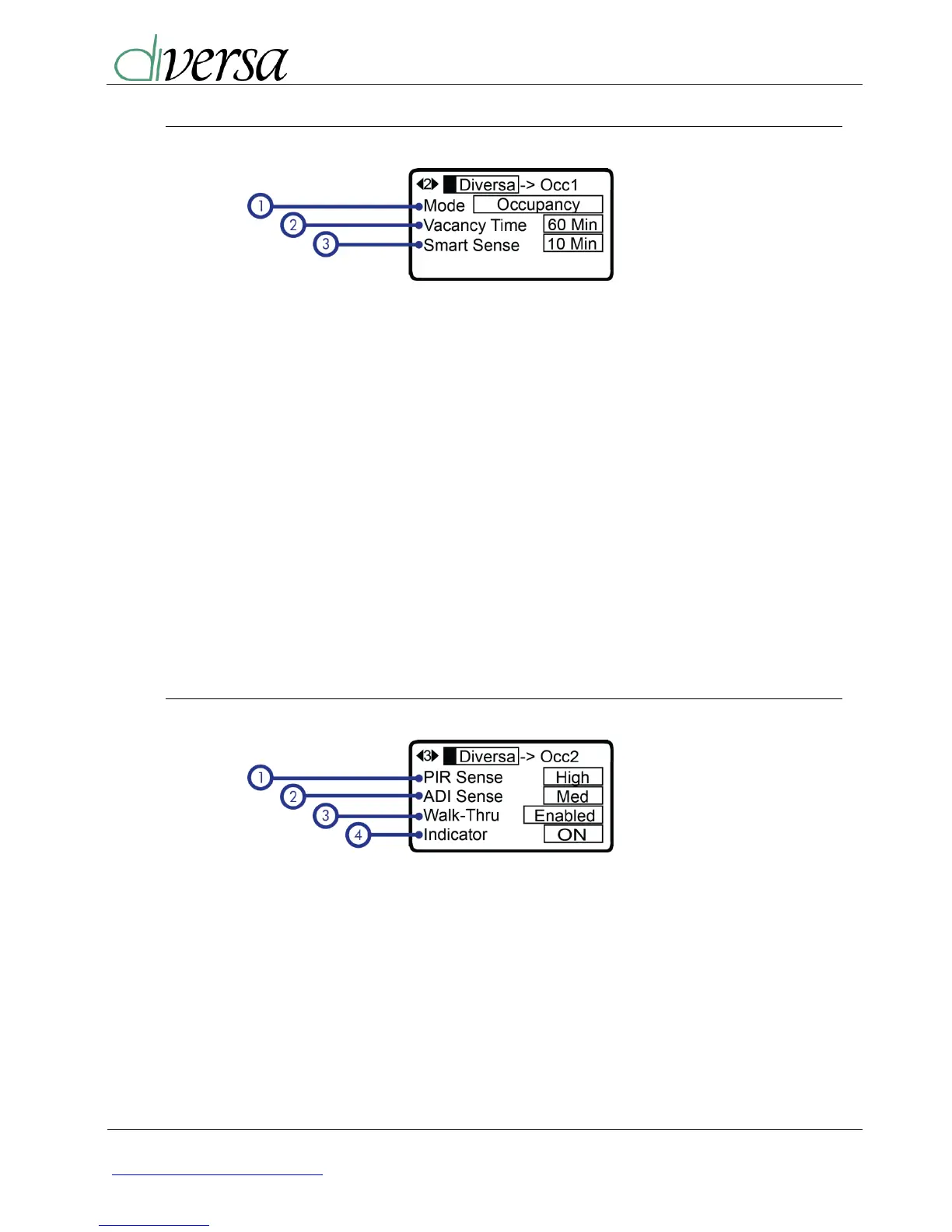
2.2. Occupancy Setting Menu 1
1) Occupancy Sensor Mode:
The “WO” Diversa sensors can be
setup to operate like a “WV” Diversa
sensors by selecting between
“Occupancy” or “Vacancy” modes.
2) Vacancy Time:
- Auto
- 30 Sec
- 1 minutes
- 5 minutes
- 10 minutes
- 20 minutes
- 30 minutes
- 40 minutes
- 60 minutes
- 90 minutes
- 120 minutes
3) Smart Sense:
The timer keeps the ADI-Voice on
after vacancy timeout, allowing the
lights to be turned on with ADI-Voice
detection. The selected time is used
as the mid range for the adaptable.
- 15 sec
- 30 sec
- 1 minute
- 1:30 minute
- 2 minutes
- 3 minutes
- 4 minutes
2.3. Occupancy Setting Menu 2
1) Passive Infrared (PIR) Sensitivity:
Disabled
Low
Medium
High
2) Accurate Detection Intelligence
(ADI) Voice Sensitivity:
Disabled
Low
Medium
High
3) Walk-Thru Mode:
When enabled, this feature turns the
lights off after 3 minutes if no
occupancy detection occurs after the
first 30 seconds after initial turn on.
4) Indicating LED:
If preferred, this allows you to
disable the motion and ADI-Voice
indicating LEDs.


 To Next Page