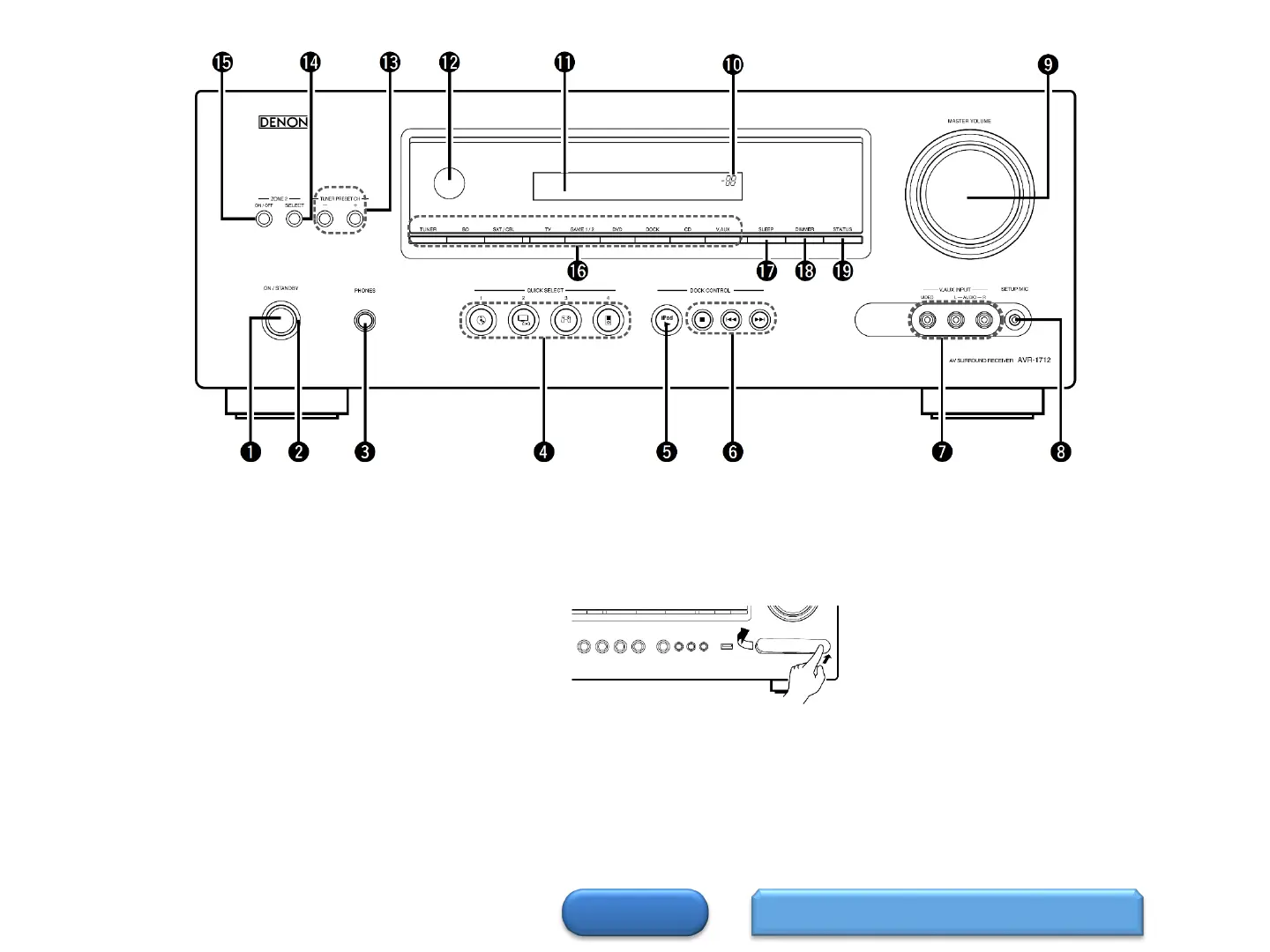
Front Panel
HOME
Display 1
2
Power operation button
(ON/STANDBY)
Turns power to this unit on and off (standby).
Power indicator
Headphones jack (PHONES)
When the headphones are plugged into this jack,
audio will no longer be output from the connected
speakers or from the PRE OUT connectors.
NOTE: To prevent hearing loss, do not raise the
volume level excessively when using headphones.
QUICK SELECT buttons
iPod play button (iPod )
iPod system buttons
• Stop button ()
• Skip buttons ( )
Remote control sensor
Tuner Preset channel buttons
(TUNER PRESET CH+,-)
SHIFT button
TUNER button
Input source select button (SOURCE)
RESTORER button
SLEEP button
DIMMER button
STATUS button
PORTABLE IN jack
V.AUX INPUT connectors
Remove the cap covering the connectors
when you want to use them.
SETUP MIC jack
MASTER VOLUME control knob
Master volume indicator
Display·


 To Next Page