4
The VariZapper 2.0
2. Description of the device
2.1 Working parts
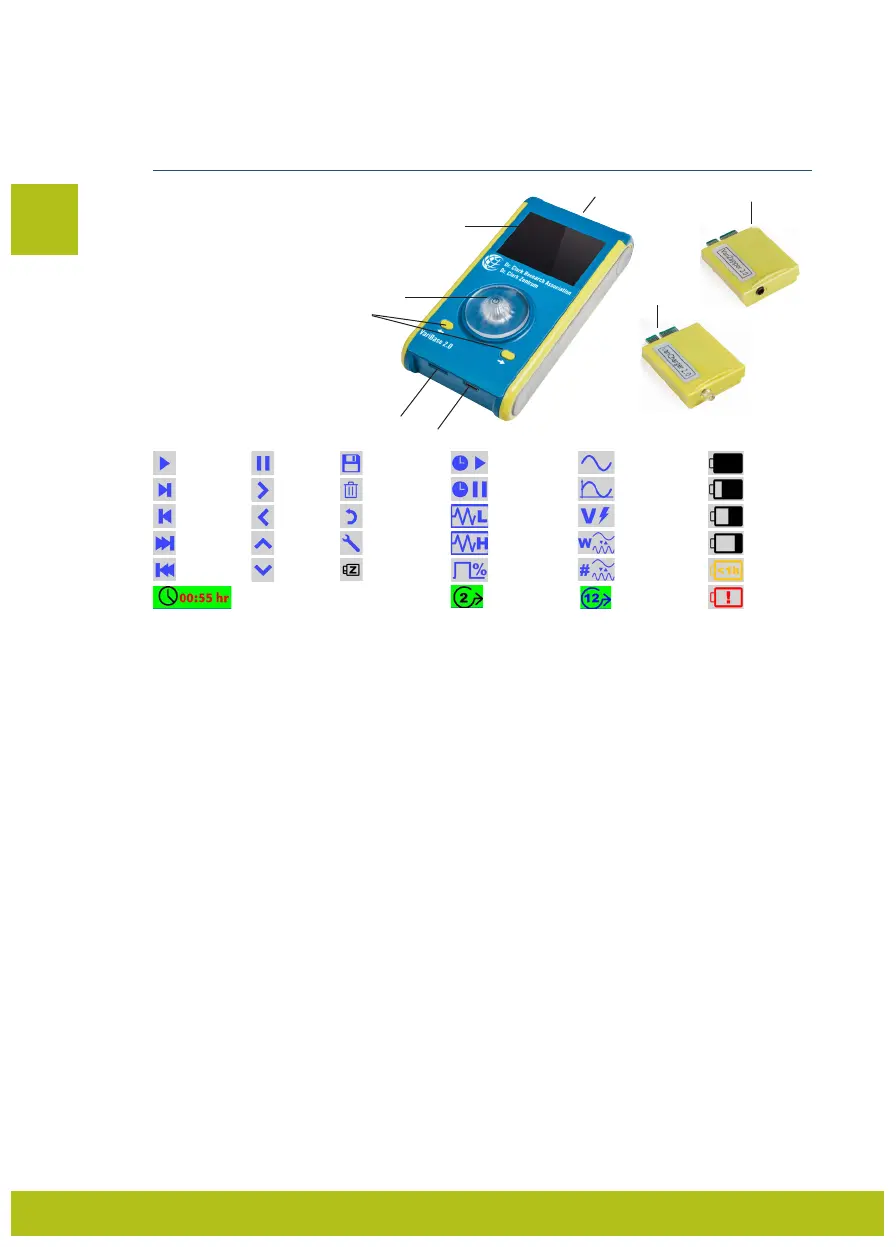
1. Slot for Modules 2.0
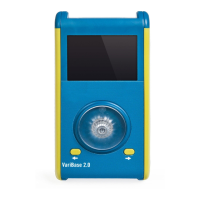
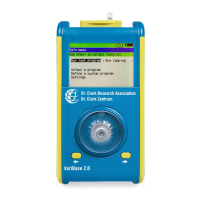
2. Display
3. Turnwheel (also ON/OFF)
4. Directional buttons (left/right)
5. VariZapper Module 2.0
6. VariCharger Module 2.0
7. microSD Cards slot (PDs)
8. USB-C slot (charging)
2.2 Icons
+
2.3 Technical data
Dimensions: VariBase 2.0: 152x79x29 mm
VariModule 2.0: 51x38x11 mm
Weight: VariBase 2.0: 220 g
VariModule 2.0: 10 g
Output voltage: 5-15 Volt (with load up to 3 KΩ)
Frequency range Sine: 1-999’999 Hz (± 30 ppm)
Frequency range Square: 1-499’999 Hz (± 30 ppm) The maximum Frequency with
Square shape is technically limited to avoid the problem of
EMC emissions.
Rise and fall time with square shape: less than 700 ns (nanoseconds)
Wobble times: between 1-15 times in the Step – active time
Offset voltage (POS): shape all positive
Offset voltage (MIXED): average shape value 0
Power consumption: 25 mA when not running/50 mA when running
(all with default screen brightness [50%])
Voltage source: 9 V rechargeable battery (300 mAh)
Estimate duration of Battery: 5 hours in running mode (before recharging)
Recharging time of Battery: maximum 3 hours
3. App
The free Dr. Clark smartphone App (VariApp) can be downloaded and used for purchasing and storing
virtual Program Drivers at a lower cost than physical Program Drivers (microSD Cards). You can down-
load the programs onto your VariZapper 2.0 with NFC technology and store them on your device.
After the download, the VariApp needs to be associated with your VariBase 2.0 using an ID Code. After
the association and registration, you will be able to view the Program Driver Catalog of Dr. Clark and
purchase Programs using Credit Card, PayPal or Prepayment.
*
Wobble function:
The device generates a frequency oscillating between the lowest and highest frequencies defined by the
program, rather than a single, steady frequency.
*
Wobble function (Number of times):
Defines how many times, within the Step – active time, the frequency oscillates
between the highest and lowest frequencies set.
EN
1
2
3
4
5
6
7
8
Play/Resume
Next Step
Previous Step
Last Step
First Step
Pause
Forward
Back
Up
Down
Save
Delete
Main Menu
(“Home”)
Program Settings
VariZapper Module 2.0
Step – active time
Step – pause time
Lowest Frequency
Highest Frequency
Duty Cycle
Wave Shape
(sine or square)
Offset Type (posi-
tive or mixed)
Voltage
Wobble Function*
Wobble Function
(Number of times)*
Battery Level – Full
Battery Level –
3
/
4
Battery Level –
1
/
2
Battery Level –
1
/
4
Battery Level – <1h
Battery Warning
Countdown clock for current step Current Step Total Steps


 To Next Page